
Is IPTV for students in the UK worth it? It can be, but student life brings its own challenges, from shared Wi-Fi to tight budgets.
University accommodation and shared houses come with their own specific considerations when it comes to choosing an IPTV service, different from what a single household subscriber might prioritize. Budget constraints, shared living arrangements, and varying internet setups across student housing all factor into whether IPTV makes sense and which features actually matter.
IPTV for Students in the UK: Budget Considerations
Student budgets are typically tighter than the average household, making the monthly cost of any subscription service a more significant factor. IPTV can cost less than a stack of separate streaming subscriptions covering the same range of content, which makes it an attractive option for cost conscious students, provided the service actually delivers reliably for the price. A TV licence is still needed to watch live television in the UK however you watch it, so check how it applies to your household before you budget.
Splitting the cost of a multi connection plan among flatmates can make IPTV even more affordable per person, assuming everyone in the household is on board with sharing a single subscription rather than each person maintaining separate services.
Want to test it on your own TV first? Try AtlasStream Live free for 24 hours on your Firestick, Smart TV or phone. No payment needed.
Shared Accommodation and Connection Limits
If multiple flatmates plan to use the same IPTV subscription, connection limits become particularly important. A single connection plan won’t work if more than one person wants to watch simultaneously on different devices, which is likely in shared student housing where everyone has their own schedule and viewing preferences.
Check plans that explicitly support multiple simultaneous connections if you’re sharing a subscription across a household, and confirm the connection count matches the number of people who might realistically want to watch at the same time, particularly during popular live events when everyone might tune in simultaneously.
University Internet and IPTV Reliability
Student accommodation internet quality varies considerably between universities and individual housing setups. Some university provided internet connections have restrictions or quality limitations that can affect IPTV performance, regardless of how good your chosen provider’s own infrastructure is. Before subscribing, it’s worth testing your specific internet connection’s speed and stability, ideally during evening hours when usage across the building or accommodation block is highest.
If your university accommodation’s internet struggles during peak usage times, even an excellent IPTV provider will show buffering issues that stem from your connection rather than the service itself. This is worth ruling out before assuming a provider is unreliable.
Device Considerations in Student Housing
Students often rely more heavily on laptops, phones, and tablets than dedicated streaming devices like Smart TVs, particularly in smaller rooms or shared spaces where a separate streaming setup isn’t always practical. Confirm that any IPTV provider you’re considering performs well on the specific devices you’ll actually be using, since performance can vary between mobile devices and dedicated streaming hardware.
Sharing Costs Fairly in Student Houses
In a shared house, one subscription with several connections can be cheaper than everyone paying separately. If you are considering IPTV for students in the UK, agree a few simple rules before you start. Decide who manages the account and pays, how costs are split, and how many people can watch at the same time. Write it down in the house group chat. Make sure the plan has enough connections for busy evenings, and remember that each person streaming adds load to the shared broadband.
Be clear about what happens if someone moves out mid-term. The simplest approach is to choose a plan length that matches the academic year or tenancy. Also remember that every household watching live TV needs a valid TV Licence, which students sometimes overlook when moving into a new house.
Budget Tips for Students
Student budgets are tight, so plan your viewing costs alongside rent, bills and food. Check whether you already have access to free services through your university, phone contract or broadband deal, and use free catch-up apps for BBC, ITV and Channel 4 content. If you share a house, splitting one plan with several connections usually costs far less per person than separate subscriptions. Pay only for the months you are at university, and pause or cancel over the summer if you go home.
Sharing Subscriptions Responsibly Among Flatmates
If you’re splitting a subscription cost with flatmates, agreeing on payment timing and responsibility upfront avoids awkward situations later if someone forgets to contribute their share before a renewal date. Some households find it easier for one person to manage the subscription and collect contributions, while others split actual account access and payment more formally.
What to Prioritise When Choosing IPTV for Students in the UK
For most students, the priority list centers on affordability, reliable performance on the devices actually available, and connection limits that match the number of people sharing the subscription. Channel breadth matters less than for households with very specific viewing requirements, since student viewing tends to be more varied and less focused on a narrow set of must have channels.
A Student Budget Example
When you look at IPTV for students in the UK, it helps to see the cost alongside everything else a student pays for. Splitting a plan fairly between flatmates who actually live together can make it far cheaper than separate subscriptions, as long as the plan includes enough connections.
| Option | Typical monthly cost | Notes |
|---|---|---|
| One person, monthly plan | Around £15 | Flexible, good for testing |
| One person, 12-month plan | Under £5 | Cheapest per month, but a longer commitment |
| Shared plan in one household | Split between flatmates | Needs enough connections for everyone at once |
| Free broadcaster apps only | £0 (TV Licence needed for live TV and BBC iPlayer) | Limited to public service channels |
Academic years usually run from September to June, so a plan that matches term time can be better value than paying through a summer when you are back home.
TV Licence Rules for Students
Students are often unsure about TV Licence rules. In general, if you watch or record live TV on any channel, or use BBC iPlayer, you need to be covered by a TV Licence. In halls of residence, each student room usually needs its own licence. In a shared house with one joint tenancy agreement, one licence may cover the whole house. The official TV Licensing student guide explains the rules in detail, including when a refund is possible for the summer months.
Making University Wi-Fi Work for Streaming
Campus and halls networks are shared by hundreds or thousands of students. They are often fast in the morning and much busier in the evening. Some university networks also restrict certain types of traffic or require you to register devices such as streaming sticks before they can connect.
- Register your device if your university requires it. Many have a self-service page for games consoles and TV sticks.
- Use Ethernet if your room has a wall socket. It is usually far more stable than shared Wi-Fi.
- Test in the evening, when the network is busiest, before paying for a long plan.
- Check the rules. Read your accommodation internet policy so you know what is allowed.
The Best Devices for Small Rooms
Student rooms are small and budgets are tight. A laptop you already own can be enough on its own. A small streaming stick plugged into a compact TV or monitor is a cheap upgrade, and it moves easily between term-time accommodation and home. A phone or tablet works well for watching in bed or on the train home at the end of term.
IPTV for Students in the UK: Sharing Fairly With Flatmates
Sharing a subscription works best with clear agreements. Decide who pays, how the cost is split, and how many people can watch at the same time. Write the login details somewhere safe rather than sharing them in a large group chat, and agree on what happens if someone moves out halfway through the year. Only share within your own household; spreading one login across lots of people outside the house can lead to connection limits being reached or the account being suspended.
Free and Low-Cost Alternatives for Students
Not every student needs a paid service. The free BBC iPlayer, ITVX, Channel 4 and My5 apps cover a lot of popular programming. Many universities also offer free access to film and documentary libraries through the library service, and student discounts are available on a number of paid streaming services. Compare these options honestly before you decide, and choose the mix that fits how much TV you actually watch during term.
Planning Around the Academic Year
Student life follows a clear rhythm: freshers in September, exams in January and May, long holidays at Christmas, Easter and summer. Your viewing needs follow the same rhythm. You may watch a lot in the first weeks of term, much less during exams, and nothing at all in your term-time room over summer.
| Period | What to consider |
|---|---|
| September | Test with a free trial once you know your accommodation Wi-Fi |
| October to December | A short plan works well while you settle in |
| Christmas break | Check whether you will watch at home or in halls |
| January to June | A three or six month plan can cover the rest of the year |
| Summer | Avoid paying for a service you will not use in your term-time room |
Keeping Your Account Safe on Shared Networks
Shared accommodation means shared networks. Use a strong, unique password for your streaming account. Do not save your login on a shared communal TV in a common room. Log out of devices you no longer use, especially if you lend your laptop or move rooms. The National Cyber Security Centre has simple, free advice on keeping accounts secure that applies to every student.
Balancing Study and Screen Time
A good TV setup is great for relaxing after lectures, but it is easy for an evening episode to turn into a whole series. Many apps have autoplay settings you can switch off so the next episode does not start automatically. Setting a simple rule, such as no new episodes after a certain time during exam weeks, helps keep study on track while still enjoying downtime with flatmates.
Watching Sport and Big Events Together
Big matches, finals and popular series launches are some of the best social moments in a shared house or halls. If several flatmates watch together on one screen, that only counts as one connection. Gathering around one TV is often the cheapest and most enjoyable way to watch, and it avoids overloading the shared Wi-Fi with lots of separate streams at the same time.
Common Student Streaming Problems
The stick will not connect to the halls Wi-Fi
Many university networks use a login page or enterprise security that streaming sticks cannot handle. Look for a separate network for games consoles and media devices, or a registration page where you enter the device MAC address. Your accommodation IT help desk can usually tell you within minutes which option applies.
Streaming works in the day but not at night
Evenings are when everyone in halls is online. If you have an Ethernet socket, use it. If not, try lowering the stream quality to HD rather than 4K during busy hours.
My flatmate and I cannot watch at the same time
Your plan probably only includes one connection. Check how many your plan allows, and upgrade to two or more if you regularly watch on separate screens.
The TV in the common room is not mine
Avoid logging in on shared TVs where other people can access your account. Use your own laptop or stick and remove it when you leave.
Taking Your Setup Home for the Holidays
One of the advantages of a small streaming stick or a laptop is that it travels with you. At the end of term, pack the stick and remote with your chargers and plug it into the TV at home. Your login works the same way on any UK broadband connection, so you can carry on watching where you left off. Just remember to check how many connections your plan allows if family members at home also want to use it at the same time.
Before you leave halls, log out of any shared devices and take your HDMI extender and remote with you. They are small, easy to lose, and surprisingly annoying to replace in the middle of the holidays.
Is It Worth It for You?
For a student who watches a lot of live TV and sport, a well-chosen plan shared fairly in one household can be very good value. For a student who mainly watches a few series, the free broadcaster apps and a single paid streaming service may be enough. The right answer depends on how you actually spend your evenings, so try a free trial during a normal week of term before deciding.
Quick Answers for Students
Can I use IPTV on my laptop in the library?
Technically yes, but university libraries usually ask students not to stream video on shared networks during busy study periods, and it is not the best place to relax anyway. Save viewing for your room or a common area.
Will my parents see the payment?
Only if you use their card. If you are managing your own budget, use your own debit card so payments stay simple to track and you can cancel or renew without involving anyone else.
Do international students need anything different?
International students often want channels from home in their own language. Check that these are included and work well during the trial, and remember that UK TV Licence rules still apply to live TV watched in the UK. Catch up is especially useful when programmes from home air at awkward UK times because of the time difference.
What if I move accommodation mid-year?
Your subscription is not tied to an address, so you can take it with you. Test the new internet connection as soon as you move, and register your device again if the new network requires it.
Test It on Your Own Setup
AtlasStream Live offers a free 24-hour trial with no card needed, so you can test it on the devices and internet connection you actually have in your student accommodation before committing. If you are planning to share a subscription with flatmates, ask on WhatsApp how many devices can stream at once before you pay. Try AtlasStream Live free here and check it on your real setup before committing to a shared subscription.
The Bottom Line
IPTV can be a genuinely good fit for student living, provided you account for shared usage, connection limits, and your specific accommodation’s internet quality before subscribing. Test thoroughly on your actual setup, agree on cost sharing upfront with flatmates, and the value proposition for student budgets becomes clear quickly.
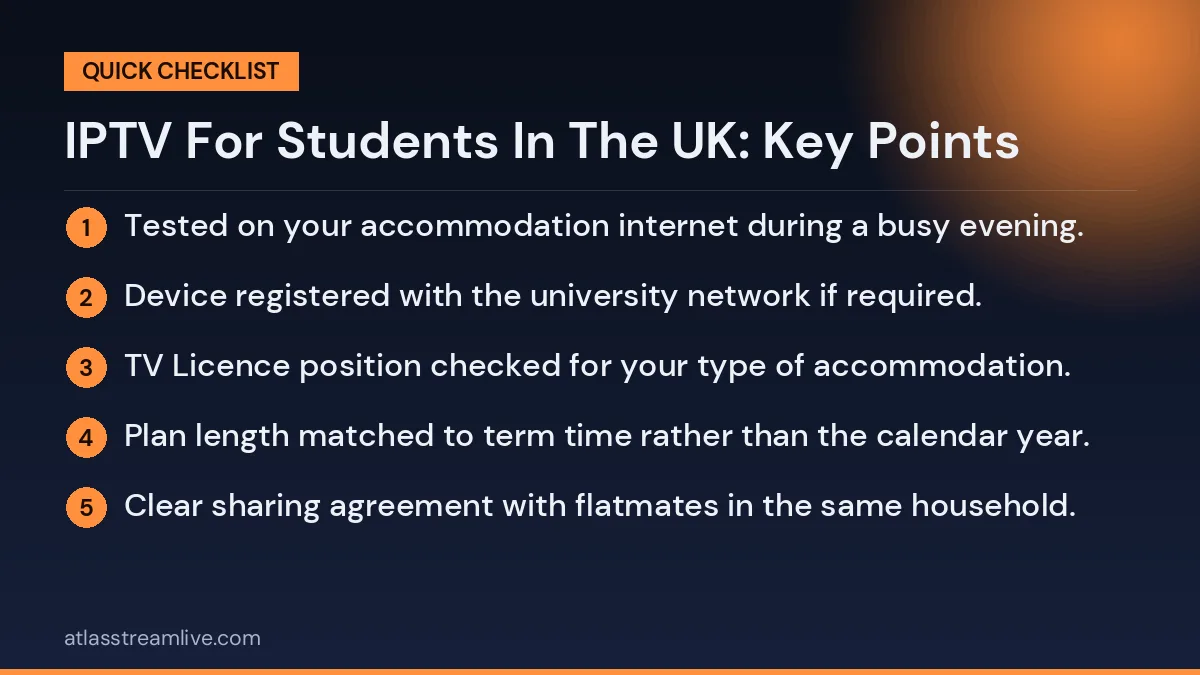
IPTV for Students in the UK: Final Checklist
- Tested on your accommodation internet during a busy evening.
- Device registered with the university network if required.
- TV Licence position checked for your type of accommodation.
- Plan length matched to term time rather than the calendar year.
- Clear sharing agreement with flatmates in the same household.
- Free broadcaster apps installed alongside any paid service.
With these points covered, IPTV for students in the UK can be a cheap and easy way to enjoy TV during term, without surprises on your bank statement or problems with your accommodation network.