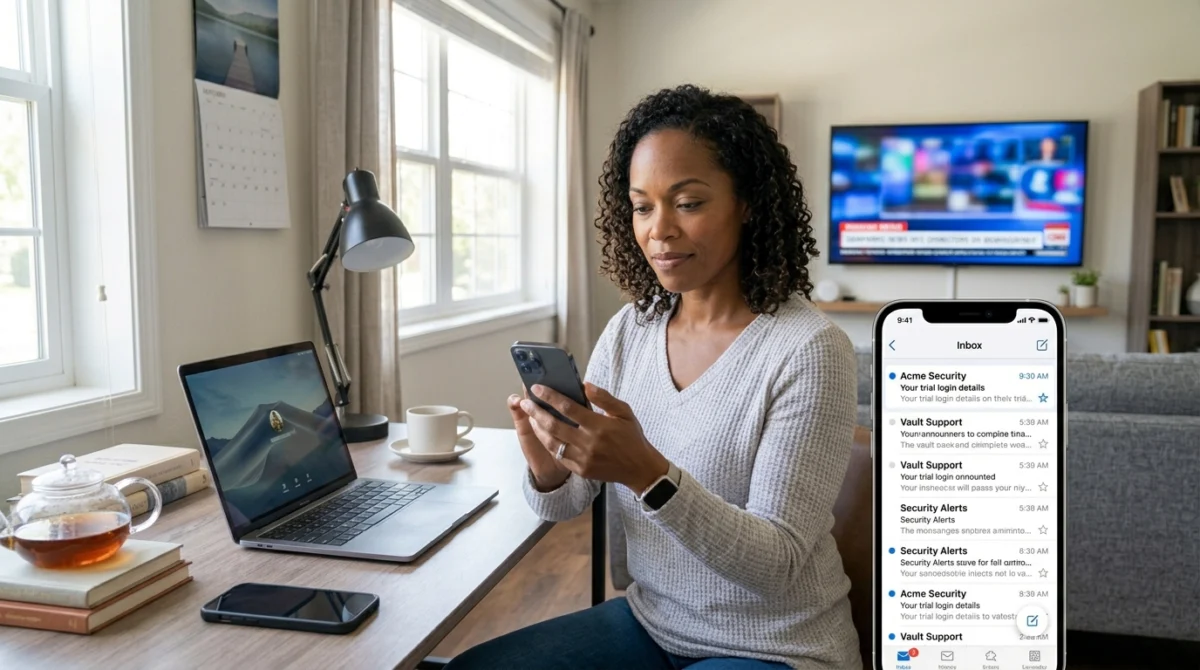
An IPTV UK free trial is simple once you know what each step involves, from requesting your login to deciding on a plan.
If you have never signed up for an IPTV trial before, the process can feel unclear from the outside. Most comparison sites talk about whether you should try a service without explaining what actually happens once you do. This is a plain walkthrough of how an IPTV UK free trial typically works, from signup to the moment you are watching something.
Providers usually let you request a trial through their website or over WhatsApp. You will normally be asked for an email address or phone number, and sometimes which device you plan to use. This takes a couple of minutes. A genuine free trial should not need payment details, but check this before you submit anything, because some providers do ask for card details even for a trial.

Want to test it on your own TV first? Try AtlasStream Live free for 24 hours on your Firestick, Smart TV or phone. No payment needed.
At the end of the trial you are normally asked to pick a paid plan if you want to continue, usually monthly, quarterly, six-monthly or annual, with pricing that reflects the length of commitment. If the trial held up across everything you tested, the decision is easy. If it did not, you have lost nothing by walking away. Our guide to trial versus paid subscription explains what to compare.
The IPTV UK Free Trial Process at a Glance
Every IPTV UK free trial follows a similar path. Knowing each stage in advance means you spend your 24 hours watching and testing rather than working out what to do next.
| Stage | What happens | Typical time |
|---|---|---|
| Request | Fill in a short form with your name and email | Under 2 minutes |
| Delivery | Login details arrive by email | Usually within a few minutes |
| Setup | Install a player app and enter your details | 5 to 15 minutes |
| Testing | Watch live, on demand and the guide | The rest of the 24 hours |
| Decision | Choose a plan or let the trial end | Whenever you are ready |
Getting Your Device Ready Before the Trial Starts
The clock usually starts when your details are sent, so prepare first:
- Update your streaming device so the player installs without delays.
- Install the player app before you request the trial, if you already know which one you will use.
- Check your Wi-Fi near the TV, or connect an Ethernet cable.
- Free up storage on Firesticks and small Android boxes.
- Choose your timing so the trial covers a full evening, ideally with a live event.
Entering Your Details Correctly
Most setup problems during an IPTV UK free trial come from a single typing mistake. Usernames and passwords are usually case-sensitive, and server addresses must be exact. Copy and paste them from your email where possible, and check for spaces at the start or end. If you are typing on a TV remote, take your time and double-check each character before pressing connect.
Xtream Codes or M3U?
Your welcome email may include login details for an Xtream Codes style login, an M3U playlist link, or both. Xtream Codes logins are usually easier, because you enter a server, username and password, and the app loads channels, guide and on demand automatically. M3U links work too, but you may need to add the guide separately in some apps.
What to Test, Hour by Hour
- First hour: install, log in and browse the channel list.
- Early evening: check the programme guide for tonight and tomorrow.
- Peak evening (7pm to 10pm): watch live for at least 30 minutes and switch between channels.
- Late evening: try an on-demand film and skip forward.
- Next morning: test on a second device and send support a question.
Fixing Common Trial Problems Quickly
The email has not arrived
Check spam, junk and promotions folders. Some email providers hold messages from new senders for a few minutes. If nothing arrives after ten minutes, contact support through live chat with the email address you used.
The app says the login is invalid
Re-enter your details carefully, paying attention to capital letters, and make sure you chose the right login type in the app. If it still fails, ask support to confirm the server address.
Channels load but the guide is empty
Give the guide a few minutes to download the first time. If it is still empty, look for a reload or update EPG option in the app settings.
The picture keeps buffering
Test another app on the same device. If that also buffers, the issue is your connection. Try an Ethernet cable or move closer to the router, then test again before judging the service.
Getting Help Without Wasting Your Trial
Do not spend half your trial stuck on a problem. If something does not work within ten or fifteen minutes, contact support straight away. Explain which device and app you are using, what you entered and what error you see. A screenshot or photo of the screen helps. This also doubles as your support test, which is one of the most valuable parts of any trial.
What Happens When the Trial Ends
When the 24 hours are up, a no-card trial simply stops. Nothing is charged and there is nothing to cancel. If you decide to subscribe, using the same email address usually lets the provider upgrade the line you tested, so your username, password and favourites stay the same. If you choose not to continue, you can simply leave it, and remove the player app from your device if you no longer need it.
Making the Decision
At the end of your IPTV UK free trial, ask yourself three questions:
- Did live channels stay stable during the busiest evening hours?
- Did everything work on the device I use most?
- Did support give me a fast, useful answer?
If the answer to all three is yes, a short paid plan is a sensible next step. If not, consider whether the issue was on your side, such as weak Wi-Fi, or with the service, and test again or try another option.
Trial Rules Worth Knowing
Most providers set a few simple rules for free trials. Knowing them in advance avoids disappointment.
- One trial per person or household. Providers usually limit trials to stop misuse.
- Real email addresses only. Temporary or disposable inboxes are often declined automatically.
- One screen at a time. Trials normally allow a single connection, even if paid plans include more.
- Limited daily numbers. Some services release a set number of trials each day to protect quality for paying customers.
- Fixed length. The trial ends after the stated time, usually 24 hours.
If a trial is not available instantly, live chat can often set one up by hand. A short wait is normal and is usually a sign that the provider is managing demand responsibly.
Keeping Your Details Safe During a Trial
Treat trial login details like any other password. Do not post screenshots of them online or share them in group chats. If you are testing on a shared TV, log out afterwards. Only enter your details into a player app you installed from a trusted source, and be cautious of anyone offering to set up your trial for you remotely.
IPTV UK Free Trial Checklist
- Device updated and player app installed in advance.
- Wi-Fi checked or Ethernet connected.
- Trial started in the afternoon to cover a full evening.
- Live channels tested between 7pm and 10pm.
- Programme guide checked for your region.
- On-demand playback tested.
- Second device tested the next morning.
- Support contacted with a real question.
- Notes kept on what worked and what did not.
Tick everything on this list and you will finish your IPTV UK free trial with a clear, confident answer about whether the service suits your home.
Checking Your Broadband Before the Trial
A trial can only be as good as the connection it runs on. Before you start, run a speed test on the same Wi-Fi network as your TV using a free tool such as Speedtest. As a rough guide, around 10 Mbps is comfortable for HD streaming and 25 Mbps or more for 4K. Run the test again in the evening, because many UK homes see much lower speeds between 7pm and 10pm. If your evening results are far below your daytime speed, your trial may show buffering that has nothing to do with the service itself.
If your connection is borderline, use HD rather than 4K during your test and connect the device by cable if you can. This gives the service a fair chance and shows you what everyday viewing will really be like.
Involving the Whole Household
If other people will use the service, ask them to try it during the trial. Children can check their channels, a sport fan can watch a live match, and an older relative can see whether the app feels simple enough. Because trials usually allow one screen at a time, take turns. A trial tested by everyone who will actually use it gives you a much better answer than one person browsing alone.
After the Trial: Starting Your Plan
If you decide to subscribe, choose a short plan first. Use the same email address as your trial so your line is upgraded and your setup carries over. Then watch normally for a week or two. If the service behaves just as it did during the trial, you can move to a longer plan with confidence and a lower cost per month.
Comparing More Than One Trial
If you are choosing between services, run each trial in the same way: same TV, same connection, same evening hours and the same channels. Note how quickly login details arrived, how easy setup was, how stable live channels were at peak time and how support responded. Comparing like with like turns several short trials into a fair, evidence-based decision instead of a guess based on whichever one you happened to test on a quiet night.
A little structure makes every trial more useful, and it helps you choose a service that genuinely fits the way your household watches TV every day.
