Ultimate Guide to the Best AtlasStream Live Plans: UK IPTV Pricing, Features & Subscriptions
Complete UK pricing, features, streaming stability and how to pick the right subscription for your household.
Last updated: 12 September 2026
Clear, honest UK IPTV pricing makes it easy to choose the right plan. Below you will find every AtlasStream Live option, what each includes and how to pick the best value for your household.
The bottom line: Traditional cable and satellite have dominated the UK market for decades, but soaring monthly bills, rigid contracts, and hidden fees have pushed households to look for a smarter alternative. AtlasStream Live bundles thousands of live channels, live sport, and a massive on-demand library into one straightforward subscription — no long contracts, no hidden fees, no equipment rental.
Why AtlasStream Live Plans Are Changing UK Home Entertainment
For years, British households have been pushed into long, binding contracts by legacy providers. Paying separately for multiple sports packages, several streaming apps, and the occasional movie rental can easily push a household’s entertainment spend past £100 a month. AtlasStream Live takes a different approach: one unified, cost-effective subscription that bundles live channels, live sport, and a video-on-demand library together, with zero hidden renewals and consistent streaming performance across the UK. By cutting out expensive infrastructure and rented hardware, the savings pass straight to the customer.
What Drives UK IPTV Pricing?
UK IPTV pricing varies widely between providers, and the cheapest offer is not always the best value. Several factors affect what you pay:
Plan length: longer plans usually cost less per month than rolling monthly plans.
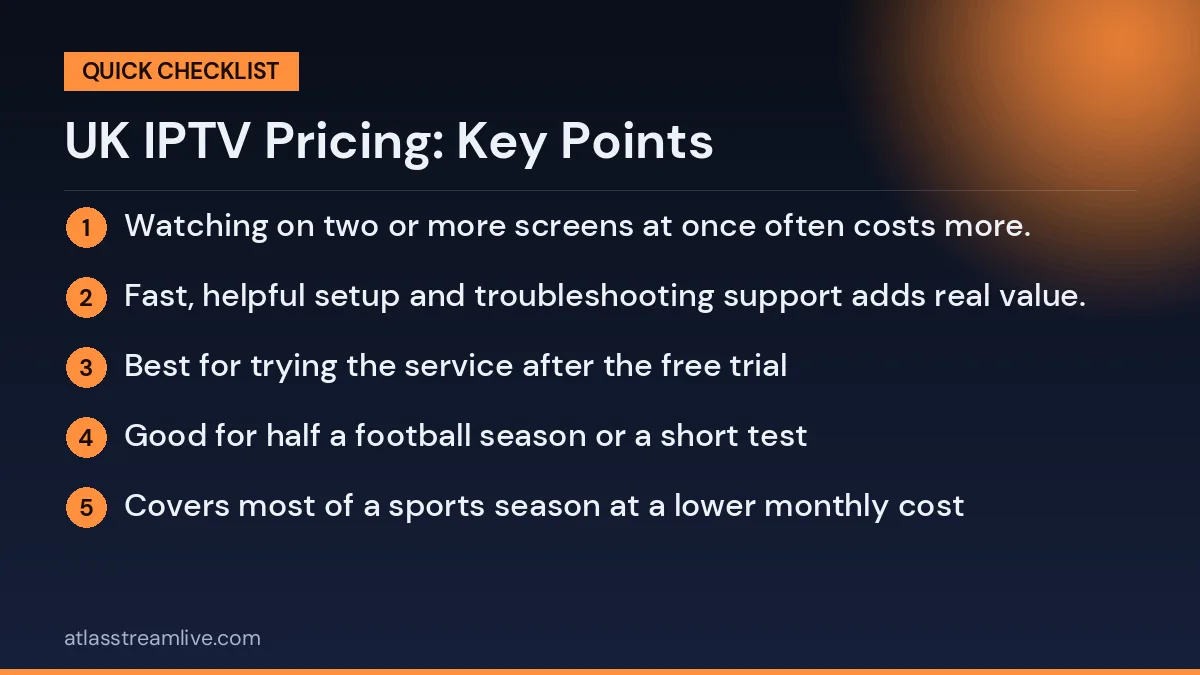
Number of connections: watching on two or more screens at once often costs more.
Server quality: stable servers that cope with big match weekends cost more to run.
Picture quality: reliable HD and 4K streams need more bandwidth and infrastructure.
Support: fast, helpful setup and troubleshooting support adds real value.
When comparing services, look at the total cost over a year and what you actually get for it, rather than the lowest headline price.
Comparing the Cost with Traditional TV
A typical UK household paying for a TV package with sport, a couple of streaming apps and HD add-ons can easily spend a large amount every month, often on a contract with annual price rises. Ofcom explains how in-contract price rises work, which is useful when comparing long-term costs. A prepaid IPTV plan has a fixed cost for the period you choose, with no surprise increases mid-term.
Want to test it on your own TV first? Try AtlasStream Live free for 24 hours on your Firestick, Smart TV or phone. No payment needed.
Detailed Breakdown of AtlasStream Live Plans & Pricing
Complete transparency, maximum flexibility. Whether you want to test the service first or lock in a long-term plan with bigger savings, there’s a tier built for it:
The 24-Hour Free Trial — access to the channel lineup and on-demand library for 24 hours, no credit card required.
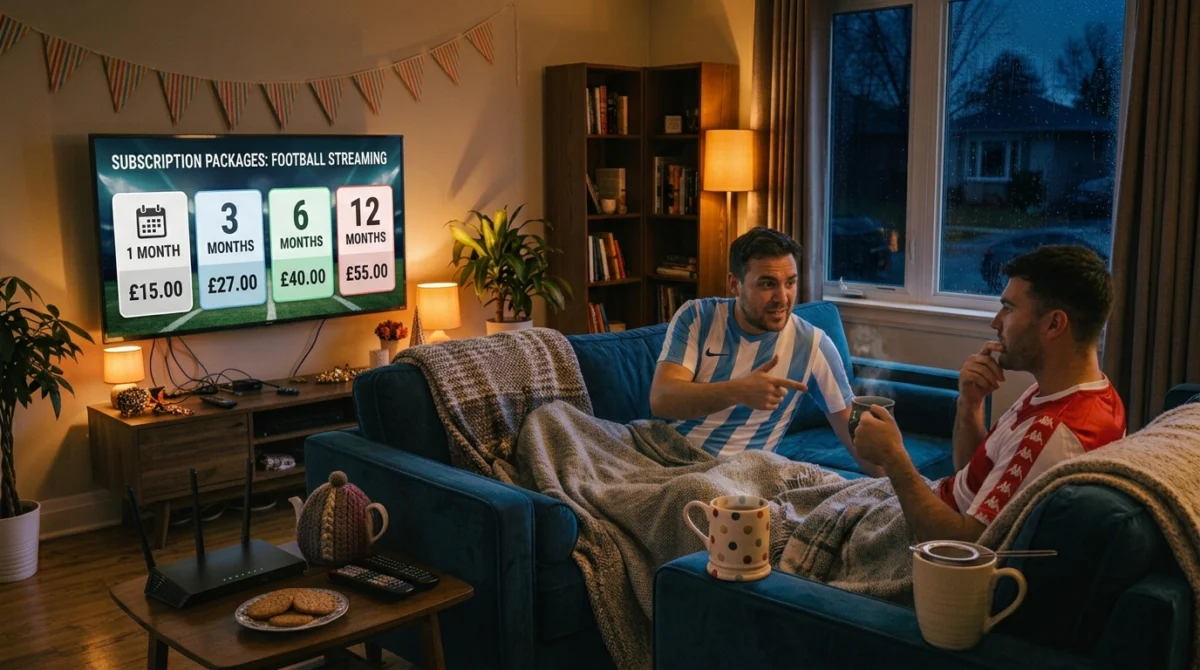
The 1-Month Flexible Plan — £15, billed once for the month. Ideal for testing month to month without a long-term commitment.
The 3-Month Value Plan — £27 total (about £9.00/month, a 40% saving vs monthly), with 1 connection included (add more at checkout) and stable server routing across all your devices.
The 6-Month Extended Plan — £40 total (about £6.67/month, a 56% saving), with 1 connection included (add more at checkout) — the most popular mid-term option.
The 12-Month Annual Plan (Best Value) — £55 total (about £4.58/month, a 69% saving), with 1 connection included (add more at checkout) and the lowest possible monthly-equivalent price.
UK IPTV Pricing at a Glance
Plan
Total price
Per-month equivalent
24-hour trial
Free
No card required
1 month
£15.00
£15.00/mo
3 months
£27.00
£9.00/mo — save 40%
6 months
£40.00
£6.67/mo — save 56%
12 months
£55.00
£4.58/mo — save 69%
Worth noting: AtlasStream Live operates strictly as a subscription service. We don’t host, record, or own any broadcast content, and you remain responsible for ensuring the content you access is permitted in your region.
Choosing a Plan for Different Households
Household
Suggested plan
Why
New to IPTV
Free trial, then 1 month
Test without a big commitment
Football fan following one season
6 months
Covers most of the season at a lower monthly cost
Regular family viewers
12 months
Lowest monthly cost and fewer renewals
Students or short stays
3 months
Matches a term or short tenancy
Expats wanting home channels
12 months
Steady access all year
These are only suggestions. The best choice depends on how long you plan to watch and how confident you are after the trial. You can always start shorter and move to a longer plan when your current one ends.
Renewing and Changing Plans
When your plan is close to ending, you will want to renew or change it without any gap in service. Renew a few days before the end date, especially before big sporting weekends or holidays, when support teams are busier. If your needs have changed, such as needing more screens or a longer plan, contact support before renewing so they can set it up correctly. Keep your renewal confirmation with your original receipt so you always have a clear record of every payment.
Devices Included at No Extra Cost
Your plan works on the devices most UK homes already own, so there is usually nothing extra to buy. Amazon Firestick, Android TV boxes, Samsung and LG Smart TVs, Apple TV, iPhone, iPad, Android phones and tablets, and Windows or Mac computers are all supported through compatible apps. Setup guides walk you through each device step by step, and support can help if you get stuck. If you do decide to buy a new device, a Firestick 4K or a Google TV Streamer is an affordable way to get smooth, reliable streaming on almost any TV with an HDMI port.
Unmatched Streaming Stability During Big Match Weekends
One of the most common complaints UK viewers have with low-quality IPTV providers is a stream freezing or crashing right when a crucial goal is scored during a major derby weekend. AtlasStream Live is built around avoiding exactly that:
How UK IPTV Pricing Compares With Separate Subscriptions
Many UK households pay for several services at once: a traditional TV package, one or more sports add-ons, a film service and a couple of streaming apps. Each one seems affordable on its own, but together they can add up to a large monthly bill. When you look at UK IPTV pricing, the main appeal is bringing live channels, sport and on-demand content together in one plan with one payment.
To compare fairly, write down everything you currently pay for TV and streaming each month, including add-ons and HD upgrades. Then compare that total with the cost of the plan length you would choose. Remember to keep any services you still want, such as a favourite streaming app, in the comparison. This gives you an honest picture of the potential saving rather than a headline number.
Simple monthly comparison
Current cost
Your monthly amount
TV package
£
Sports add-ons
£
Film or entertainment add-ons
£
Streaming apps
£
Total today
£
Compare this total with the AtlasStream Live plan that suits you best, starting from £15 a month. Many households find the difference significant, especially over a full year.
What Affects the Price of Each Plan
Every AtlasStream Live plan includes the same channels and features. The only difference is how long you pay for. Shorter plans offer flexibility, which is ideal if you are new to IPTV or want to cover a specific season. Longer plans reduce the monthly cost and mean fewer renewals to remember. There are no separate charges for sport, films or HD, and no long-term contract.
1 month: best for trying the service after the free trial
3 months: good for half a football season or a short test
6 months: covers most of a sports season at a lower monthly cost
12 months: the lowest monthly cost for regular viewers
Smooth evenings start at home: a wired connection and a good router make the biggest difference on match days.
Test it at a busy time: use the free 24-hour trial on your own connection in the evening before you decide.
Help on WhatsApp: message us if you need a hand with setup or if something does not load.
A long channel list only matters if the handful you actually watch never buffer during the moments that count. That’s the checklist every AtlasStream Live plan is held to.
Monthly vs Annual Plans: Which Saves More?
Plan type
Best for
Trade-off
1 month
Trying the service after the free trial
Highest cost per month
3 months
A football season half or a short test period
Moderate saving
6 months
Covering most of a sports season
Good saving, still flexible
12 months
Regular viewers who want the lowest monthly cost
Pay upfront for the year
If you are sure the service suits your home after testing it, longer plans give the best value and mean one less renewal to remember.
Hidden Costs to Watch For
Good UK IPTV pricing should be simple and transparent. Before paying any provider, check for:
Extra fees for adult or sports categories
Charges for additional connections
Setup or activation fees
Automatic renewals you did not agree to
Device costs if you need a new Firestick or box
Remember too that a TV Licence is still required to watch live TV in the UK, whichever service you use. Details are on the TV Licensing website.
What's Included in Every AtlasStream Live Plan
Every plan unlocks the same premium streaming ecosystem — nothing is held back for a higher tier:
Getting Ready to Subscribe
Before choosing a plan, take a few simple steps so everything runs smoothly from day one. Check your broadband speed in the evening, when most people watch. Around 15 Mbps per HD stream is a good minimum, and 25 Mbps or more is recommended for 4K. Decide which devices you will use, such as a Firestick, Smart TV, Android box, phone or tablet, and make sure they are updated. Count how many connections you need at the same time on your busiest evening.
Start with the free 24-hour trial and test during a live match or a busy evening. Try the main TV and at least one other device. If everything works well, choose the plan length that fits your viewing habits. Keep your confirmation email and login details somewhere safe, and set a reminder a week before the plan ends.
Pre-subscription checklist
Test evening broadband speed
Update your streaming devices
Count the screens you need at once
Use the free trial during peak viewing
Choose a plan length that fits your habits
Save your login details and set a renewal reminder
Why Transparent Pricing Matters
Clear, simple pricing protects you from surprises. You should always know what you are paying, for how long and what is included. AtlasStream Live shows every plan openly, with no hidden fees for channels, sport or HD, and no automatic long-term contracts. If you have any questions before paying, the support team can explain exactly what each plan includes, so you can choose with confidence.
Fair pricing also means honest expectations. Streaming quality depends partly on your home broadband and Wi-Fi, so testing first is always the best approach. Combined with the free trial, transparent UK IPTV pricing lets you make a calm, informed decision that suits your household and your budget.
Live TV and sport: check the channels you care about during the free 24-hour trial.
On-demand movies and series: browse them in the app on your own device.
Multi-device compatibility: Firestick, Android, iPhone and iPad, Apple TV and Smart TVs. See the full devices guide.
Real Feedback: Why UK Customers Choose AtlasStream Live
"I was paying over £90 a month just to watch football and a few movies. Since switching to the annual plan, I get every match and thousands of movies, and it hasn't buffered once during a Saturday afternoon game. Genuinely worth it." — Mark T., Manchester
"Setting up on my Firestick took less than five minutes. Support helped me get my free 24-hour trial sorted instantly. Highly recommended if you're tired of overpriced cable bills." — Sarah L., London
UK IPTV Pricing: How to Choose the Right Plan
The right AtlasStream Live plan depends entirely on your viewing habits. If you’re new to the service, start with the free 24-hour trial to test stream stability on your own home connection first. Once you’ve seen the quality for yourself, the 12-Month Annual Plan gives the strongest overall savings and one less thing to renew. For device pairing and setup, see the devices guide and the setup & apps guide.
How to Get the Best Value from Your Plan
Start with the free trial: test on your own device and broadband, ideally during a live match.
Count your screens: choose the number of connections you really need, not more.
Use the devices you have: most Smart TVs, Firesticks and phones work, so you may not need new hardware.
Pick the right length: once you are happy, a longer plan lowers the monthly cost.
Set a renewal reminder: note your end date so you never lose service before a big weekend.
Paying Safely Online
Whichever provider you choose, protect yourself when paying. Use a secure payment method, keep your receipts and confirmation emails, and never share card details through social media messages. Citizens Advice has a simple checker to help you spot scam websites before you pay.
UK IPTV Pricing FAQs
Is there a contract?
No. Every AtlasStream Live plan is prepaid for the period you choose, with no long-term contract.
Do all plans include the same channels?
Yes. Every plan unlocks the same channel list and features. Only the length of the plan changes.
Can I upgrade later?
Yes. You can move to a longer plan when your current one ends, or contact support to discuss options.
Is the free trial really free?
Yes. The 24-hour trial lets you test the service on your own device before paying for anything.
Do I need to buy a device?
Usually not. The service works on most Smart TVs, Firesticks, Android boxes, phones and tablets you already own.
Are there any activation fees? No — setting up your subscription is free, with nothing hidden.
Can I use my plan on multiple devices? Yes. Each plan includes 1 connection, and you can add up to 5 connections at checkout.
How fast is activation? Activation is fast — once your payment or trial is confirmed, your login credentials are sent straight to you via WhatsApp, usually within 5 to 15 minutes.
Do I need a satellite dish? No dish or cable installation is required — just an internet connection and a compatible device like a Firestick or Smart TV.
Ready to Get Started with AtlasStream Live?
Stop overpaying for outdated cable packages and rigid contracts. Test AtlasStream Live for free, on your own device, before you commit to anything.