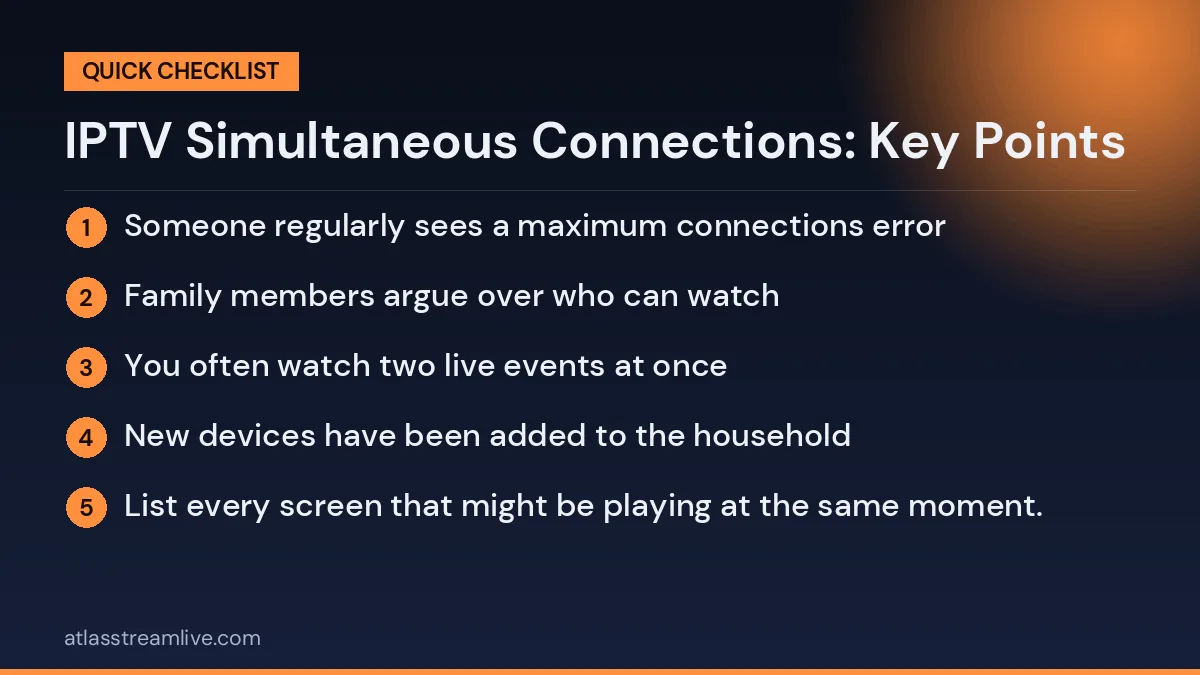
You can install the app on many devices, but a plan limits how many can stream at the same time. Three TVs set up in the house with only one in use is one connection. Two people watching two channels is two.

Want to test it on your own TV first? Try AtlasStream Live free for 24 hours on your Firestick, Smart TV or phone. No payment needed.

Think about your busiest evening. How many connections might be on at once: the living room, a bedroom, a phone or tablet? Count each separately. Remember that a second app or a paused stream on a device may still count in some setups. Add one if you often have visitors or want room to grow.
Every plan includes 1 connection, and you can add up to 5 connections at checkout. The prices for each number of connections are shown on the subscribe page. Prices are £15, £27, £40 and £55. Message us on WhatsApp if you want to check which plan fits your household before you order.
How Many IPTV Simultaneous Connections Do You Need?
The number of IPTV simultaneous connections you need depends on how many connections play at the same time, not on how many devices you own. This table gives a quick starting point.
| Household | Typical evening use | Suggested connections |
|---|---|---|
| One person | One TV, sometimes a phone | 1 |
| Couple, shared TV | Usually watch together | 1 |
| Couple, different tastes | Two TVs or TV plus tablet | 2 |
| Family with children | Main TV plus one or two tablets | 2 to 3 |
| Shared house | Several rooms watching separately | 3 to 4 |
| Sport fan with multi-view | Two matches on one screen | 2 |
A Simple Way to Count
- Think about your busiest evening of the week, often Saturday or Sunday.
- List every screen that might be playing at the same moment.
- Ignore devices that are only used occasionally or never at the same time.
- Add one extra if visitors or a growing family are likely.
For example, a family might have six devices in total, but on a Saturday evening only the living room TV and one tablet are usually in use. That family needs two connections, not six.
What Counts as a Connection?
- One TV playing a channel counts as one connection.
- One phone or tablet playing counts as one connection.
- Multi-view showing two channels usually counts as two.
- An app open but paused may still count on some services until it is closed.
- Several people watching one TV counts as one connection.
If you are unsure how your provider counts connections, ask support before choosing a plan.
What Happens When You Reach the Limit
If one more screen starts playing than your plan allows, the new stream may refuse to start, or another screen may stop. You might see a message such as too many connections or maximum connections reached. Closing the app fully on a device you are no longer using usually frees the connection within a minute or two.
Connections, Devices and Accounts: The Difference
Three terms are easy to mix up:
- Account: your subscription and login details.
- Device: any TV, stick, box, phone, tablet or computer with the app installed.
- Connection: one stream actually playing at a given moment.
You can normally install the app on many devices. The limit only applies to how many play at once. That means you can have the app on every TV in the house, as long as no more of them play at the same time than your plan allows.
Bandwidth: The Other Limit
Even with enough connections on your plan, your broadband must handle every stream at once. As a rough guide, allow around 10 Mbps for each HD stream and 25 Mbps for each 4K stream, plus some headroom for other internet use.
| Screens playing at once | HD speed needed | 4K speed needed |
|---|---|---|
| 1 | Around 10 Mbps | Around 25 Mbps |
| 2 | Around 20 Mbps | Around 50 Mbps |
| 3 | Around 30 Mbps | Around 75 Mbps |
| 4 | Around 40 Mbps | Around 100 Mbps |
Test your real evening speed with a free tool such as Speedtest. If several screens buffer together, your broadband may be the bottleneck rather than your plan.
Sharing Fairly at Home
In busy homes, a few simple rules avoid arguments when connections run out:
- Close the app completely when you stop watching, rather than leaving it paused.
- Watch big events together on one screen where possible.
- Agree priority for live sport or programmes that cannot be caught up later.
- Use catch up for anything that can wait.
- Keep the login inside your household, since sharing it elsewhere uses up connections.
Adding Connections Later
Households change. A child gets their own tablet, someone moves in, or you add a TV in the bedroom. Most providers let you upgrade to more connections later. Ask how upgrades work, whether the price changes immediately or at renewal, and whether your existing login stays the same.
Real-Life Examples
The football household
Two adults and a teenager. On Saturday afternoons, dad watches one match on the living room TV and the teenager follows another on a tablet. During the week, they mostly watch together. They need two connections.
The busy family
Two parents and three children. In the evening, the parents watch the main TV while two children watch cartoons on tablets in their rooms. They need three connections, perhaps four if the third child joins in.
The couple with different tastes
One partner watches drama in the living room, the other prefers documentaries in the bedroom. They need two connections.
The person living alone
One TV, occasionally a phone in the kitchen while cooking, but never both at once. One connection is enough.
The shared student house
Four housemates who sometimes all watch different things in their rooms on a Sunday evening. Three or four connections, shared fairly within the household, works best.
Common Mistakes
- Counting devices instead of screens in use. This leads to paying for connections you never need.
- Forgetting tablets and phones. Children often watch on these at the same time as the main TV.
- Leaving apps open. A paused stream on a forgotten tablet can still occupy a connection.
- Ignoring broadband limits. More connections need more speed.
- Sharing the login outside the home. Other people’s viewing can use up your connections at the worst moment.
Testing Connections During a Trial
Most trials allow only one connection, so you cannot fully test multiple screens. You can still test how the app works on each device in turn, and check your broadband speed in the evening. Once you subscribe to a plan with several connections, test all the screens at the same time on a busy evening during the first week. If everything stays smooth, your plan and broadband are well matched.
Keeping Your Account Secure
If you often see too many connections messages when nobody else at home is watching, your login may be in use elsewhere. Change your password if your provider allows it, or ask support to reset your details. Keep your login private and avoid posting screenshots that show it.
Planning for Big Events
Major sporting events, finals and popular series launches are when connection limits are most likely to be reached. Everyone at home wants to watch at once, and sometimes they want different things. A few days before a big event, think about who will watch what. If two matches overlap and two people want to watch separately, you need two connections. If friends are coming over, watching together on one screen avoids using extra connections and extra bandwidth. A quick plan beforehand avoids last-minute frustration when a stream refuses to start just as the action begins.
Connections When Travelling
If you take a tablet or phone on holiday and watch while someone at home is also watching, both streams count towards your limit. Before you travel, check your plan has enough connections for this, and remember that hotel or holiday Wi-Fi may be slower than your home broadband, so a lower stream quality may play more smoothly. Check your provider terms about viewing outside the UK before relying on it.
Children and Connections
Children often watch on tablets while adults use the main TV. If you have several children with their own devices, connection limits can be reached quickly in the early evening. Some families set simple screen-time windows, so not every device is streaming at the same time. Combined with the parental PIN in your player, this keeps viewing manageable and fair, and avoids paying for more connections than the household really needs.
Reviewing Your Plan Each Year
Once a year, look back at how often you reached your limit. If it never happened, you may be able to reduce connections and save money. If it happened every weekend, an extra connection will make evenings much smoother. A short annual review keeps your plan matched to how your household actually watches.
Wi-Fi and Router Tips for Multi-Screen Homes
When several screens stream at once, your router has to manage a lot of traffic. Older routers can struggle even if your broadband speed is fast enough. If you regularly use three or more screens, consider these improvements:
- Ask for a newer router. Many UK broadband providers upgrade routers for existing customers on request.
- Use Ethernet for the main TV to take it off the busy Wi-Fi network.
- Add mesh Wi-Fi so bedrooms and far rooms get a strong signal.
- Use 5 GHz for devices close to the router.
- Restart the router weekly to clear minor issues.
These changes help every device in the home, not just TV streaming, and they make multiple connections far more reliable.
Choosing Between More Connections and Better Broadband
If streams stop because of a connection limit, you need more connections on your plan. If streams buffer even though the limit has not been reached, you probably need better Wi-Fi or faster broadband. Knowing which problem you have prevents you from paying for the wrong upgrade. A simple test helps: if one screen plays perfectly on its own but several screens all buffer together, the bottleneck is your network. If a new screen shows an error message about connections, the bottleneck is your plan.
Getting both right means everyone at home can watch what they want, when they want, without interruptions.
A Quick Connections Checklist
- Screens used at the same time on your busiest evening counted.
- Children tablets and phones included in the count.
- One extra connection considered if your household is growing.
- Broadband speed checked for all screens at once.
- Main TV connected by Ethernet if possible.
- Apps closed fully when not in use.
- Login kept private within the household.
Work through this list once and you will know exactly how many connections your home really needs, with no wasted money and no interrupted evenings.