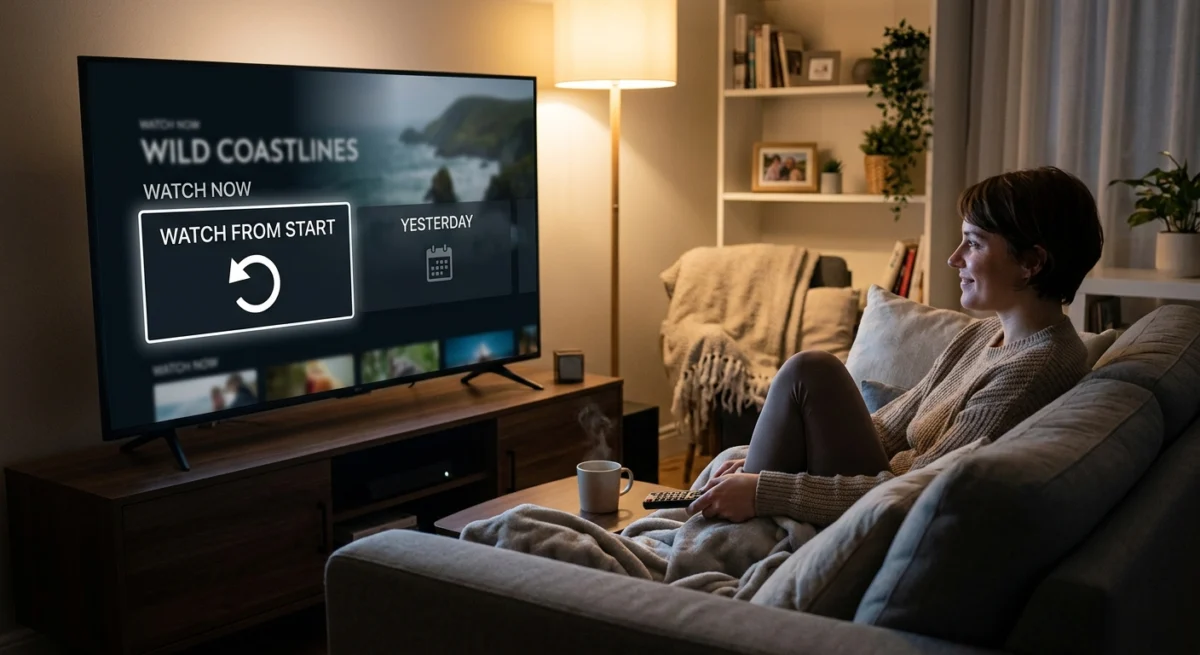
IPTV catch up lets you watch programmes after they have aired, but how far back it goes and which channels support it vary a lot.
Many people expect IPTV to work like their old set-top box, with the ability to rewind a missed programme or record a series. Some services offer features like that and some do not, and they work in different ways. A feature that appears in a list on a website may behave differently in the app you actually use. It is far better to ask a few plain questions than to assume.
- Live TV: the channel as it is broadcast now.
- Pause and rewind: the ability to pause a live programme or skip back a short way. This is usually provided by the app or the device, and it depends on the service and the player.
- Catch-up or replay: the ability to go back to a programme that has already aired, using the TV guide. Where it exists, it is often limited to some channels and to a set number of days.
- Recording: saving a programme to watch later. This might be stored on your device, on a drive, or in the cloud, and the options differ a lot between services and apps.
- On-demand: films and series available any time, which is a separate library and not the same thing as catch-up. Our guide to on-demand films and series in an IPTV app explains it.
Want to test it on your own TV first? Try AtlasStream Live free for 24 hours on your Firestick, Smart TV or phone. No payment needed.
If a seller lists catch-up and recording without saying how it works, which channels it covers or what the limits are, treat it as an unanswered question rather than a promise. See our red flags guide for other warning signs.
IPTV Catch Up, Replay and Recording: The Differences
Several features help you watch programmes you missed. They are often confused, so here is how they compare.
| Feature | What it does | Where it is stored | Typical limits |
|---|---|---|---|
| IPTV catch up | Watch programmes that already aired on a channel | On the provider servers | Usually a few days, only on some channels |
| Start over or restart | Rewind a live programme to the beginning | On the provider servers | Only while the programme is on or just after |
| Timeshift or pause live | Pause and rewind live TV for a short time | On your device or server | Minutes, depending on the app |
| Local recording | Saves a programme to your device or USB drive | On your device | Depends on storage and app support |
| Cloud recording | Saves programmes to an online space | On the provider servers | Depends on the service |
How IPTV Catch Up Usually Works
- Open the programme guide in your player.
- Look for a small catch-up icon next to channels or programmes.
- Scroll back in the guide to a programme that has already aired.
- Select it and press play to start from the beginning.
- Use pause, rewind and fast forward as normal.
If you cannot see catch-up icons, either the channel does not support it, your player does not show it, or the feature is not included in your plan.
Why Catch Up Matters for UK Viewers
- Late kick-offs and overseas sport often air at night or early morning UK time.
- Clashing programmes mean you cannot watch everything live.
- Busy evenings with work, school runs and family routines.
- Different tastes at home, where one person watches live while another catches up later.
- Avoiding peak-time buffering by watching later when networks are quieter.
What Affects Catch-Up Availability
The channel
Not every channel offers catch up. Rights holders decide whether programmes can be replayed, and some events, especially certain live sport, may not be available afterwards.
The provider
Storing days of programmes for many channels takes a lot of server space, so providers choose which channels to include and how far back to go.
The player app
Some players show catch up clearly in the guide; others hide it or do not support it at all. Your login type can matter too, as Xtream-style logins usually support catch up better than basic M3U playlists.
Your plan
Some providers include catch up only on certain plans. Check before you subscribe.
Recording on Streaming Devices
Many streaming devices have limited storage, and most IPTV players do not offer recording. Where recording is available, it often needs a USB drive connected to an Android box. Firesticks and Apple TV rarely support local recording well. If recording is important to you, ask your provider which apps and devices support it, and test it during a trial. For most people, good catch up removes the need to record at all.
Using Official Apps for UK Catch Up
For BBC, ITV, Channel 4 and Channel 5 programmes, the official apps offer generous catch-up windows, often thirty days or more, plus box sets. BBC iPlayer, ITVX, Channel 4 and My5 are available on most streaming devices and Smart TVs. Using them alongside your IPTV catch up gives you the widest choice. A TV Licence is required to use BBC iPlayer.
Getting the Most From Catch Up
- Check the guide every evening for programmes you might want to catch up on.
- Watch catch up later at night when networks are quieter for a smoother picture.
- Avoid spoilers by muting score alerts until you have watched.
- Know the limit: if catch up lasts three days, do not leave it a week.
- Use favourites so you can find catch-up channels quickly in the guide.
Testing IPTV Catch Up During a Trial
- Open the guide on a channel you watch often.
- Look for catch-up icons on programmes from earlier in the day.
- Play one from the start and check it loads quickly.
- Skip forward and back to check playback responds smoothly.
- Scroll further back to see how many days are available.
- Repeat on two or three other channels, including a sports channel.
- Ask support which channels support catch up and for how long.
Note the results. If catch up is a key reason for subscribing, it deserves the same careful testing as live channels.
Catch Up for Sport Fans
Sport fans often rely on catch up for overseas events. A Test match in Australia, a Formula 1 race in Asia or a late boxing card can air in the middle of the night. Check whether sports channels you care about support catch up, how quickly programmes appear after airing and how long they stay available. Some live sport may be excluded because of rights, so do not assume. Official highlights programmes on free-to-air channels can be a useful backup.
Catch Up for Families
Families with children often use catch up for bedtime-friendly viewing. A programme that airs after bedtime can be watched the next afternoon. Combined with parental controls and a children favourites list, catch up gives families flexibility without late nights.
Common Problems
No catch-up icons appear
Check your player supports catch up and that you are using a login type that includes it. Ask support whether the channel offers catch up.
Catch-up programme will not play
Try again, then try another programme. If none play, restart the app and contact support with the channel and time.
Wrong programme plays
The guide may be out of sync. Refresh the guide or adjust the time offset in the player settings.
Catch up stops partway through
Check your connection and whether another device started a large download.
Be Wary of Vague Promises
Some providers advertise catch up on everything without explaining the details. Ask specific questions: which channels, how many days, which apps, which devices. A provider that gives clear, honest answers about what is and is not available is far more trustworthy than one that promises everything. Testing during a trial is the only way to be sure.
Planning Your Week Around Catch Up
Catch up works best when you use it deliberately. On Sunday evening, look through the guide for the week ahead and note programmes you want to see but will probably miss live: a late documentary, a midweek match, a new episode that clashes with something else. When the week gets busy, you already know what to look for in catch up. Because most catch-up windows are only a few days, check regularly rather than saving everything for the weekend. A simple routine like this turns catch up into a reliable part of your viewing rather than something you only remember after a programme has disappeared.
Picture Quality on Catch Up
Catch-up programmes are usually available in the same quality as the live channel. Because they are not live, the player can buffer further ahead, so they often play more smoothly than live streams during busy evenings. If you see buffering on a live channel at peak time, watching the same programme on catch up a little later can be a simple workaround. You can check your connection with a tool such as Speedtest; around 10 Mbps is comfortable for HD.
Choosing a Player With Good Catch-Up Support
If catch up matters to you, choose a player that shows it clearly in the guide, lets you scroll back easily and starts programmes quickly. Many full-featured players display a small rewind or clock icon on supported programmes. During a trial, try two or three players with the same login to see which handles catch up best on your device.
Catch Up and Shared Households
In homes where several people watch different things, catch up reduces arguments over the TV. One person can watch a live match while another catches up on a drama later that evening or the next day. Combined with enough simultaneous connections, catch up lets everyone see what they want without everything having to happen at the same moment. It also helps families with different schedules, such as shift workers or parents who only get time to watch after children are asleep.
Catch Up and Older Viewers
For older relatives, catch up can be a little harder to find than live channels. Show them where the catch-up icon appears in the guide, and practise once or twice together. Some people find the official BBC iPlayer and ITVX apps easier for catch up, because programmes are shown with large pictures and clear titles. Put these apps on the home screen next to the IPTV player.
Quick Catch-Up Checklist
- Know which channels in your plan support catch up.
- Know how many days it covers.
- Use a player that shows catch up clearly in the guide.
- Install official UK apps for longer BBC, ITV, Channel 4 and Channel 5 catch up.
- Check regularly so programmes do not expire before you watch.
- Mute spoilers for sport you plan to watch later.
With this checklist in place, catch up becomes one of the most useful features of your service.
