Does IPTV work when you leave the UK?
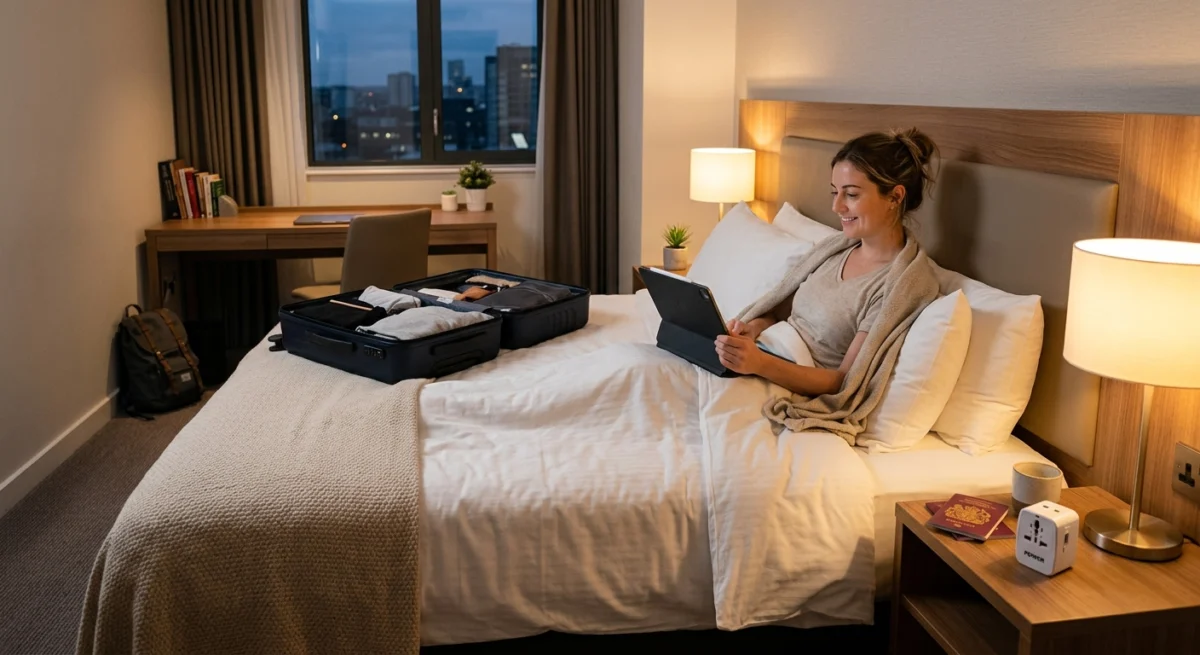
Using IPTV while travelling can work well, but rights, Wi-Fi and roaming all affect what you can watch away from home.
IPTV apps stream over the internet, so in principle they work wherever you have a good enough connection. In practice, what you can watch and how well it works depends on three things: your provider’s own rules, the network you are connected to, and the rights that sit behind specific programmes. Some services restrict where they can be used, and some sports or shows may be limited by region. The only way to know for your service is to ask and to test before you go.
Want to test it on your own TV first? Try AtlasStream Live free for 24 hours on your Firestick, Smart TV or phone. No payment needed.
Ask Your Provider About IPTV While Travelling Before You Leave
A short message before the trip saves a lot of frustration. Ask whether the service can be used from the country you are visiting, whether there is any limit on location or on the number of devices, and which app you should use on a phone or tablet. Keep the answer, and do not rely on a friend’s experience with a different service.
Test before you travel
Set up and test every device you plan to take while you are still at home, where you can fix problems easily. Log in on the phone, tablet or laptop, play a live channel and a film, and note how the app behaves. If you are taking a Firestick or a similar stick, check that it starts, connects to Wi-Fi and finds your app, and that you have the login details saved somewhere that does not depend on the stick itself.
Hotel and Holiday-Let Wi-Fi for IPTV While Travelling
Hotel Wi-Fi is the most common problem. Many hotels use a sign-in page that appears in a browser when you connect, and a plain streaming stick cannot always get past it. Some hotels also limit speed, limit the number of devices or block certain types of traffic. Practical tips:
- Read the Wi-Fi details on arrival and ask reception if the connection is suitable for streaming.
- If a sign-in page is needed, use a phone or laptop on the same network first, or use the phone as a personal hotspot for the TV device.
- Test a live channel in the evening, when the network is busiest, and not only in the morning.
- Use a short HDMI extender if the TV port is hard to reach.
A Pre-Trip Checklist for Using IPTV While Travelling
A few minutes of preparation makes using IPTV while travelling far less stressful. Work through this list a few days before you leave.
| Check | Why it matters |
|---|---|
| Provider terms on viewing abroad | Some services are licensed for the UK only |
| Plan dates | Make sure it does not expire while you are away |
| Connections | Family at home may also be watching |
| App installed on travel devices | Phone, tablet or laptop ready before you go |
| Login details saved securely | In case you need to log in again |
| Mobile roaming charges | Streaming over mobile data abroad can be expensive |
| Chargers and adapters | Plug adapters for the country you are visiting |
Official UK Apps Abroad
Many UK broadcaster apps, including BBC iPlayer, ITVX and Channel 4, only work inside the UK because their programme rights are sold country by country. Outside the UK, live streams and most catch-up programmes will not play. The official way to take UK programmes with you is to download them in the app on your phone or tablet before you leave, where downloads are offered. Downloads must usually be watched within a set period, so check the expiry date in the app.
Mobile Data and Roaming After Brexit
Since the UK left the EU, roaming rules depend on your mobile network. Some include European roaming in certain plans, others charge a daily fee, and roaming outside Europe can be very expensive. Video streaming uses a lot of data, often 1.5 to 3 GB per hour in HD, so check your allowance and daily charges before streaming abroad. Ofcom has guidance on using your phone abroad.
Hotel and Holiday-Let Wi-Fi Tips
- Test it early. Check the Wi-Fi on arrival rather than just before a big match.
- Expect login pages. Many hotel networks require you to sign in through a web page, which streaming sticks and TVs may not handle. Phones and laptops usually can.
- Lower the quality. Shared hotel Wi-Fi is often slow in the evening; SD or 720p may play more smoothly.
- Ask for a better room. Rooms near the hotel router or lobby often have stronger signals.
- Use a travel router if you travel often. It connects to hotel Wi-Fi once and creates your own private network for all your devices.
Which Device to Take
| Device | Pros | Cons |
|---|---|---|
| Phone | Always with you, handles hotel login pages | Small screen, battery drain |
| Tablet | Bigger screen, good for flights and rooms | Another device to charge |
| Laptop | Large screen, handles login pages, can connect to TV by HDMI | Bulkier |
| Streaming stick | Turns a hotel TV into your home setup | Many hotel networks block or confuse sticks |
For most trips, a phone or tablet is the simplest choice. A laptop with an HDMI cable is a good option if you want a bigger screen and the hotel TV has a spare HDMI port.
Saving Battery and Data
- Download what you can on official apps before leaving.
- Lower stream quality when on mobile data.
- Turn off autoplay so the next episode does not start and use data.
- Carry a power bank for long journeys.
- Use airport and hotel Wi-Fi carefully, and avoid entering payment details on public networks.
Security on Public Wi-Fi
Public Wi-Fi in hotels, airports and cafes is shared with strangers. Avoid logging into banking or entering card details on these networks where possible. Keep your devices updated and use strong, unique passwords. A reputable VPN can add privacy for general browsing on public Wi-Fi, but it does not change the rights that apply to the content you watch, and it can slow streaming. The National Cyber Security Centre has simple advice on staying secure online.
Connections When Family Stays Home
If family members are watching at home while you watch abroad, both streams count towards your plan limit. Check you have enough connections before you go, or agree who watches when. Closing the app fully when you finish frees up the connection for others.
Time Zones and Live Events
Live events from the UK may be on at unusual local times when you are abroad. A Saturday 3pm kick-off is the middle of the night in parts of Asia or early morning in the Americas. Check the time difference and set alarms or plan to use catch up, and turn off score notifications if you want to avoid spoilers.
Travelling Within the UK
Holidays in the UK are much simpler. UK apps and services work as normal, and you only need to think about the connection. Holiday cottages, caravans and rural locations can have slow broadband or rely on 4G. Test the Wi-Fi when you arrive, lower stream quality if needed, and consider a phone hotspot as a backup. If you bring a streaming stick, remember the HDMI extender and the remote, and check the TV has a free HDMI port.
Cruises and Flights
Ship and in-flight Wi-Fi is often slow, expensive and shared by many passengers. Streaming live TV on these connections is rarely practical. Download programmes in official apps before you travel, and use in-flight entertainment where available. Save live viewing for when you reach your hotel.
Testing at Home Before You Go
Before a trip, rehearse your travel setup at home. Install the app on the device you will take, log in, and try watching on mobile data rather than Wi-Fi to see how it performs. Check that downloads in official apps work and note when they expire. If you plan to use a laptop with the hotel TV, test the HDMI connection at home first. A short rehearsal reveals problems while you still have time and a good connection to fix them.
Packing List for Viewing on the Go
- Phone or tablet with apps installed and logged in.
- Chargers and a power bank.
- Plug adapters for your destination.
- HDMI cable if you plan to connect a laptop to the hotel TV.
- Headphones for flights and shared rooms.
- Downloaded programmes in official apps.
- Login details stored securely, not on a sticky note.
Watching on Long Journeys
Train and coach journeys within the UK often have patchy mobile coverage and onboard Wi-Fi that is slow or limited. Live streaming may drop out in tunnels and rural stretches. Downloads in official apps are far more reliable on the move. If you must stream, choose the lowest quality setting and accept that it may pause in poor coverage areas. Car passengers can stream on a tablet using a phone hotspot, but keep an eye on mobile data, as a long journey can use several gigabytes.
Keeping Children Entertained While Away
Holidays with children often mean screen time on journeys and in the evenings. Before you leave, download a selection of children programmes in official apps, set up a children profile on the tablet and pack headphones. Parental controls on the tablet travel with it, so the same protections apply away from home. If you plan to stream in the hotel, test the Wi-Fi early in the stay rather than when everyone is tired and waiting for a favourite programme.
Back Home
When you return, check that your devices at home still work as expected, close any apps left open on travel devices to free connections, and change any passwords you entered on public networks if you are unsure about their security. A quick check helps everything return to normal smoothly.
Expats and Long Stays Abroad
If you are moving abroad or staying for months rather than days, think about viewing differently. Content rights are tied to countries, so the services and apps that work in the UK may not be available where you are living. Look into what is officially available in your new country, including any international versions of UK channels. Many people use a mix of local services, international news channels and official apps for programmes from home where they are available. Planning this before you move avoids paying for subscriptions you cannot use and helps you settle into a viewing routine that works in your new home.
Packing a Simple Travel Streaming Kit
Using IPTV while travelling is much easier with a small kit packed in advance. Bring your streaming device, such as a Firestick, with its power adapter and HDMI extender. Pack a short HDMI cable in case the TV port is hard to reach, and a travel adapter for the plug type at your destination. A compact travel router is very useful in hotels, because it lets your devices connect to one private network even when the hotel Wi-Fi blocks streaming sticks.
Save your login details in a password manager so you can sign in on another device if needed. Download the app on your phone or tablet too, as a backup if the TV in your room does not work with your stick. Before you leave, check how many connections your plan allows, because someone at home may be watching at the same time as you.
Travel kit checklist
- Streaming stick, power adapter and HDMI extender
- Short HDMI cable
- Travel plug adapter
- Compact travel router
- App installed on phone or tablet as backup
- Login details saved securely
Remember that hotel and holiday Wi-Fi can be slow at busy times. Test the connection on your first evening, and use HD rather than 4K if streams struggle.
Watching on Long Journeys
Trains, flights and long car journeys are good times to catch up on films and series. Wi-Fi on trains and planes is often slow or unreliable, so streaming live channels may not work well. If your app supports downloads, save content before you leave. Otherwise, choose lower quality settings and expect some buffering. Keep a charger or power bank handy, as streaming drains phone and tablet batteries quickly.
Enjoy your trip, and keep streaming simple.
Mobile data and roaming
If you plan to stream on a phone over mobile data, check your mobile plan’s rules for the country you are visiting before you leave. Roaming charges and data allowances differ between providers and between destinations, and video uses a lot of data. Where possible, use trusted Wi-Fi instead, and turn off automatic downloads while you are away.
Check your device limit
Many plans allow a set number of devices to be used at the same time. A family trip, where one person watches on a tablet while another watches on a phone, can use the limit quickly. Our guide to simultaneous connections explains how this works, so you know what your plan allows before you pack.
Do you need a VPN?
You do not need a VPN just to use an IPTV app, and a VPN can slow a connection that is already weak. Some people use one on public Wi-Fi for privacy, which is a reasonable choice, but it is separate from IPTV. Our guide to IPTV and VPNs in the UK covers when it helps and when it does not.
Try it at home first
The most useful thing you can do is test your exact devices before you leave. AtlasStream Live offers a free 24-hour trial with no card needed. Ask us on WhatsApp about using the service away from home, then run the trial on the phone or stick you plan to take. Start here: free 24-hour trial.
IPTV While Travelling: Frequently Asked Questions
Will my UK apps work abroad?
Many UK broadcaster apps only work in the UK. Download programmes before you leave where the app allows it.
Can I use my IPTV service abroad?
It depends on the provider terms and content rights. Ask your provider before you travel.
How much data will I use?
HD streaming often uses 1.5 to 3 GB per hour. Check roaming allowances to avoid large bills.
Why will my stick not connect to hotel Wi-Fi?
Many hotel networks use a login page that sticks cannot open. Use a phone, tablet or laptop instead, or a travel router.
Is it safe to stream on hotel Wi-Fi?
Generally yes for watching, but avoid entering payment details on public networks and keep devices updated.
Do I need a VPN abroad?
Not for streaming. A VPN can add privacy on public Wi-Fi, but it does not change content rights and may slow your connection.
The Short Version
Using IPTV while travelling works best with planning. Check your provider terms, remember that many UK apps only work in the UK, download what you can before leaving, watch roaming charges, expect slow or tricky hotel Wi-Fi and take a phone, tablet or laptop rather than relying on a streaming stick. Keep an eye on connections if family are watching at home, and adjust for time zones when following live UK events.