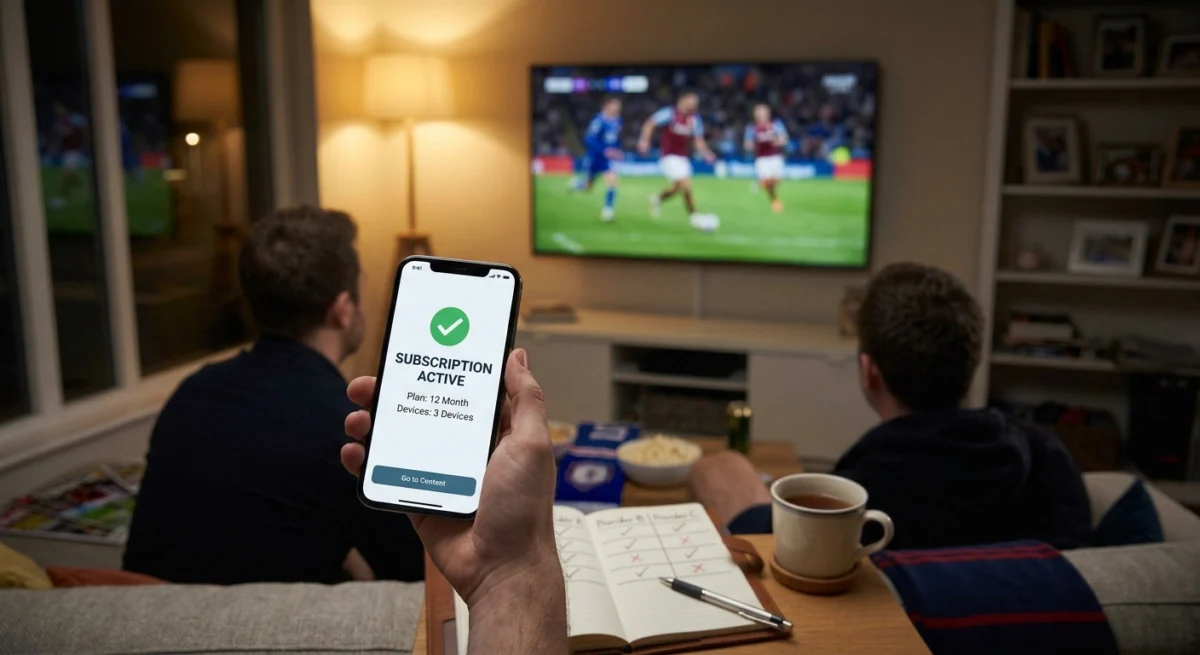
Choosing a UK IPTV subscription can feel overwhelming once you start comparing providers. Every service lists a big channel count, promises clear picture quality and offers competitive pricing. The marketing pages sound similar enough that picking between them from the website alone tells you very little. Here is what separates a subscription worth keeping from one you will cancel within a few months.
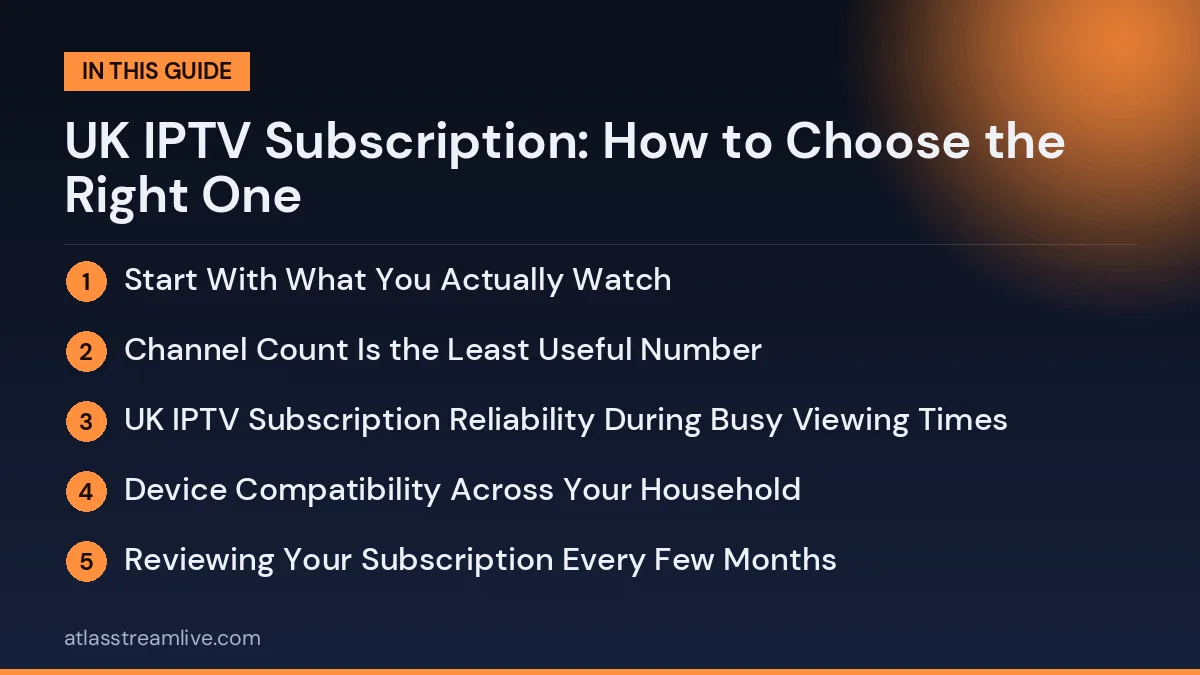
Start With What You Actually Watch
Before comparing providers, get clear on what you need. If live football is your main reason for subscribing, the channels that show those matches and how reliably they perform at busy times matter more than anything else on the spec sheet.
Want to test it on your own TV first? Try AtlasStream Live free for 24 hours on your Firestick, Smart TV or phone. No payment needed.
If you are more focused on general entertainment, news and on-demand films and series, the priorities shift toward the on-demand library and its quality rather than peak-hour sports capacity. Knowing this upfront narrows your options and stops you being swayed by features that do not apply to how you will use the service.
Channel Count Is the Least Useful Number
Every provider advertises a large channel count. That number says very little about quality. A smaller list where the channels work reliably is more useful than a huge one where a chunk of channels do not load or show outdated streams.
Rather than comparing total counts, check whether the specific channels you will watch, your usual sports broadcasters, news channels and favourite entertainment channels, work well. You can only verify that through a proper trial, not a comparison chart.
UK IPTV Subscription Reliability During Busy Viewing Times
UK viewing has predictable peaks: weekend match days during the football season, weekday evenings and major event broadcasts. A subscription that performs well outside those windows but struggles during them is not delivering what you are paying for.
Test it properly by using your trial during one of those busy windows rather than at a random quiet time. If a provider’s free trial is restricted during exactly the periods that matter most, treat that as a red flag. Our guide on what to check in a free IPTV trial covers this.
Device Compatibility Across Your Household
Many UK households use IPTV on several devices: a Smart TV in the living room, a Firestick on a second TV, plus phones and tablets. A subscription needs to work on the combination you actually use, not just the one device the provider highlights in its setup guide. Setup help is in our Firestick guide and our guide to installing IPTV on iPhone and iPad.
Reviewing Your Subscription Every Few Months
Choosing a UK IPTV subscription is not a one-off decision. Your household changes over time: children grow up, sports seasons begin and end, people move in or out, and broadband may be upgraded. Every few months, take five minutes to review whether your plan still fits. Are you using all the connections you pay for, or do you need more? Is the service still stable at peak times? Have you started watching channels or content that are not included?
A short review also helps you spot problems early. If streams have become less reliable, check your own setup first: router position, Wi-Fi coverage and device age. If everything at home is fine, contact support with clear details. Regular reviews keep you in control and make sure you are paying for what you actually use.
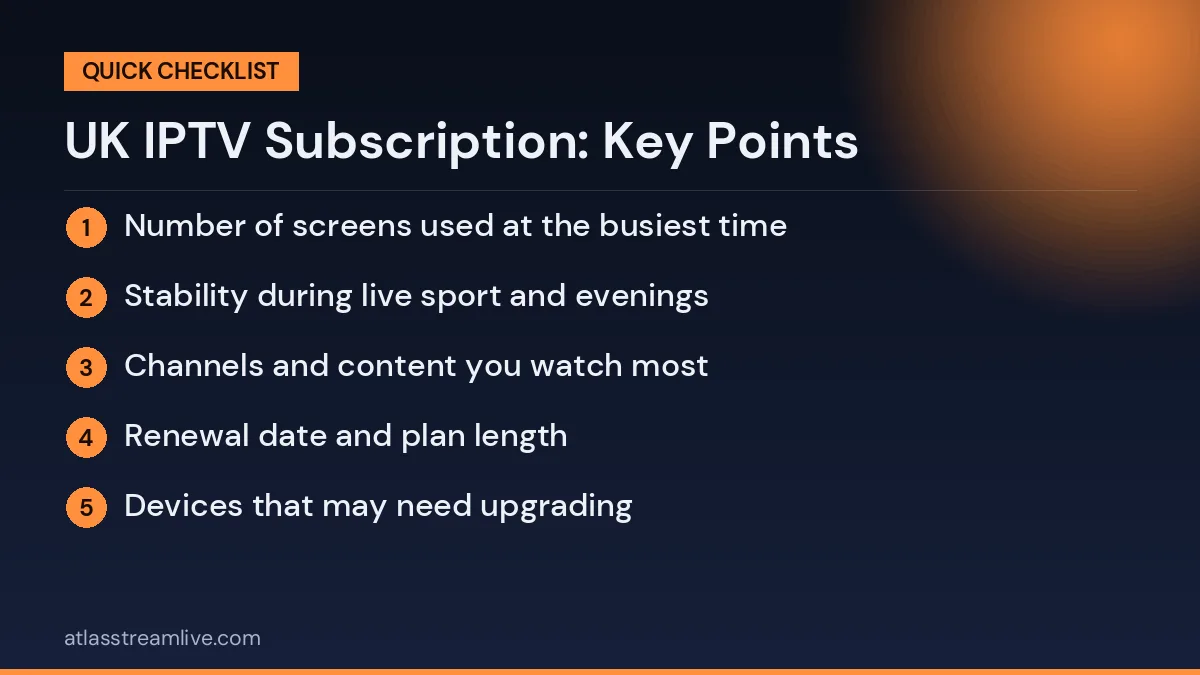
Quick review checklist
- Number of screens used at the busiest time
- Stability during live sport and evenings
- Channels and content you watch most
- Renewal date and plan length
- Devices that may need upgrading
Common Mistakes When Choosing
The most common mistake is choosing on price alone. Others include picking too few connections, skipping the trial, ignoring support quality and forgetting to check renewal terms. Each of these can lead to frustration later. Take a little time to compare plans properly, test on your own setup and read the terms. A few extra minutes at the start can save weeks of problems and wasted money.
Check how many simultaneous connections a plan includes. If several people in your household watch at once, you need a plan that explicitly supports it rather than finding the limit after you subscribe.
Support Quality Before You Need It
The real test of support is not how fast a provider replies while you are a prospective customer, but how fast it replies once you have paid and something goes wrong during a match you want to watch. Send a genuine question during the trial and time the response to get a realistic preview.
Providers that offer WhatsApp or live chat are often easier to reach than those that rely only on email tickets, which matters during a live broadcast.
UK IPTV Subscription Length and Flexibility
IPTV subscriptions usually come in monthly, quarterly, six-monthly and annual options, with longer commitments normally working out cheaper per month. Starting with a shorter plan or a free trial before committing to a longer term is the safer approach with a provider you have not used before, because it lets you confirm reliability over weeks of real use. Our trial versus paid subscription guide goes through this decision.
Choosing AtlasStream Live
AtlasStream Live offers a free 24-hour trial with no credit card needed, so you can run the checks above yourself. Plans are £15 for 1 month, £27 for 3 months, £40 for 6 months and £55 for 12 months, and support is available on WhatsApp. If you need several screens at once, ask about connections before you order. You can request the trial on the free trial page.
Matching a UK IPTV Subscription to Your Household
The right UK IPTV subscription depends far more on who is watching than on any headline feature. Start by building a simple profile of your home.
| Household type | Main priorities | Connections to consider |
|---|---|---|
| Living alone | Favourite channels, price | 1 |
| Couple | Watching different things in different rooms | 2 |
| Family with children | Parental controls, kids channels, tablets | 3 or more |
| Shared house | Fair sharing, stable Wi-Fi | 2 to 4 |
| Sport-focused home | Weekend stability, catch up | 1 to 2 |
| Older viewers | Simple app, clear guide, patient support | 1 |
Once you know your profile, you can ignore features you will never use and focus on what really matters.
Device Compatibility Across the Home
Make a quick list of every screen that will use the service: living room TV, bedroom TV, phones, tablets and laptops. Then check that the provider supports apps on each one. Common devices in UK homes include:
- Amazon Fire TV sticks
- Android TV and Google TV boxes
- Samsung and LG Smart TVs
- Apple TV, iPhone and iPad
- Android phones and tablets
- Windows and Mac computers
- MAG boxes
If one important device is not supported well, a cheap streaming stick can often solve the problem without replacing the TV.
Flexibility Matters More Than You Think
Life changes. People move house, children leave home, new TVs arrive and sporting interests shift with the seasons. A good UK IPTV subscription should be easy to adjust. Before you subscribe, ask:
- Can I add or remove connections later?
- Can I switch from a monthly to a longer plan without starting again?
- What happens to my account if I do not renew straight away?
- Can I move my login to a new device easily?
Clear answers to these questions mean you are buying a service that can grow and shrink with your household, rather than one that locks you into today’s needs.
Reliability at UK Peak Times
UK viewing peaks are sharp. Weekday evenings between 7pm and 10pm, Saturday afternoons during football and big Sunday fixtures all put heavy pressure on home broadband and on streaming services. When you test, aim for one of these windows. A service that stays smooth then will handle the rest of the week easily. The free Speedtest tool helps you check whether your own connection holds up at those times too.
Questions to Ask Before You Subscribe
- Which channels and categories are included, and can I test them during a trial?
- How many screens can watch at the same time on each plan?
- Which apps do you recommend for my devices?
- Is the programme guide included and accurate for my region?
- Is catch up available, and how far back does it go?
- What is the renewal price, and does the plan renew automatically?
- How can I contact support, and when are they available?
- Where is your refund policy written?
Setting Up Your Subscription Well From Day One
A good start makes everyday viewing easier for months.
Create favourites on each device
Spend ten minutes saving the channels each person watches most. It turns a list of thousands into a short, personal menu.
Turn on parental controls
If children use the TV, set a PIN on adult categories straight away.
Keep your login safe
Store your details somewhere secure and avoid sharing them outside your household, which can cause connection limits to be reached.
Note your renewal date
Add a reminder to your phone a few days before the plan ends so you can decide calmly whether to continue.
Making the Most of Your Subscription
Many people only use a fraction of what they pay for. Explore the on-demand library, try catch up for programmes you missed, and set up separate favourites for different moods, such as sport, news and films. Combine your subscription with free broadcaster apps for even more choice. The more you use, the better the value of your UK IPTV subscription becomes.
Reviewing Your Subscription Over Time
Every six months, ask yourself a few simple questions. Is the service still stable at busy times? Has support been helpful when you needed it? Do you still need the same number of connections? Is the price still fair compared with what else is available? A quick review keeps your subscription matched to your household and stops you paying for things you no longer use.
Common Mistakes When Choosing a Subscription
- Buying on channel count. A huge list means little if your own channels are unstable.
- Testing at quiet times. A morning test hides evening problems.
- Choosing too few connections. The second TV stops working the moment someone else starts watching.
- Ignoring renewal terms. A low first payment can be followed by a higher one.
- Skipping the support test. You only discover how helpful support is when something goes wrong.
- Committing too early. A long plan before you have used the service for a few weeks is a gamble.
Paying for Your Subscription Safely
Pay by card through a secure checkout and keep your receipt. Card payments give you the option of chargeback, and credit cards may offer extra protection for larger purchases. Avoid paying through private messages, gift cards or transfers to personal accounts. Citizens Advice explains your consumer rights if a service is not provided as described.
Preparing Your Home Network
Before blaming any service for problems, make sure your home network is ready. Place the router in an open, central spot rather than in a cupboard. Use an Ethernet cable for the main TV if you can. Restart the router once a week. If your home is large or has thick walls, a mesh Wi-Fi system spreads a strong signal into every room. These changes help every streaming app you use, not just IPTV, and they often fix problems people assume are the fault of the provider.
Building a Viewing Routine
Many households find that a simple routine gets the most from their subscription. Check the programme guide in the early evening to see what is on. Add anything interesting to favourites or set a reminder. Use catch up for programmes that clash or air too late. At weekends, plan around live sport and make sure the device and connection are ready an hour before kick-off. These small habits turn a subscription from a list of channels into a reliable part of everyday life.
Understanding Connections, Devices and Accounts
Three terms are often confused. An account is your subscription and login. A device is any screen with the app installed. A connection is one stream playing at the same moment. You can usually install the app on many devices, but only as many can play at once as your plan has connections. Knowing the difference helps you choose the right plan and avoid paying for more than you need.
Watching Across the Seasons
Viewing habits change through the year. Autumn and winter bring more evenings indoors, the football season, rugby internationals and Christmas specials. Summer often brings tennis, cricket and major tournaments, but also more time outdoors and holidays away. If your viewing drops sharply in certain months, a flexible plan lets you adjust. If you watch steadily all year, a longer plan gives the lowest monthly cost. Think about your own pattern when choosing.
Getting Help When You Need It
Even the best service has occasional issues. Before contacting support, restart your device and router and test another app. If the problem continues, send support a clear message: your device, the app you use, what you were watching, the time it happened and any error message. A photo of the screen helps. Clear information gets you a faster, more useful answer and gets you back to watching sooner.
Making Your Final Decision
Choosing the right UK IPTV subscription comes down to testing rather than comparing marketing claims. Identify what you watch, test the relevant channels at busy times, check device compatibility across your household, and contact support with a real question before committing beyond a trial.
That takes a few days but can save months of frustration with a service that looked good on paper and fell apart when you needed it.
UK IPTV Subscription: Frequently Asked Questions
Do I need a TV Licence?
If you watch or record live TV on any channel, or use BBC iPlayer, you need a TV Licence in the UK, whatever service you use.
Can I use my subscription on holiday?
Check the provider terms before travelling. Hotel Wi-Fi is often slower than home broadband, so lower the stream quality if needed.
What if I move house?
Your subscription usually moves with you. Just log in on your devices at the new address and test the new broadband.
How do I know if I need more connections?
If streams stop when someone else starts watching, you have reached your limit. Count the screens used at the same time on a busy evening.
Is a monthly plan or a long plan better?
Start monthly to confirm the service suits you, then move to a longer plan for a lower monthly cost.
Final Checklist
- Household profile written down, with the screens used at the same time.
- Every important device supported by a recommended app.
- Trial completed during a busy UK evening.
- Support contacted with a real question.
- Renewal price and refund policy checked.
- Safe card payment with a receipt.
- Short first plan, then a longer one once you are happy.
Work through this list and the UK IPTV subscription you choose will fit your home, your devices and your budget, with no unpleasant surprises later.
Want to test it yourself? Request your free 24-hour trial.
Already sure? See plans and subscribe → · from £15, no contract.