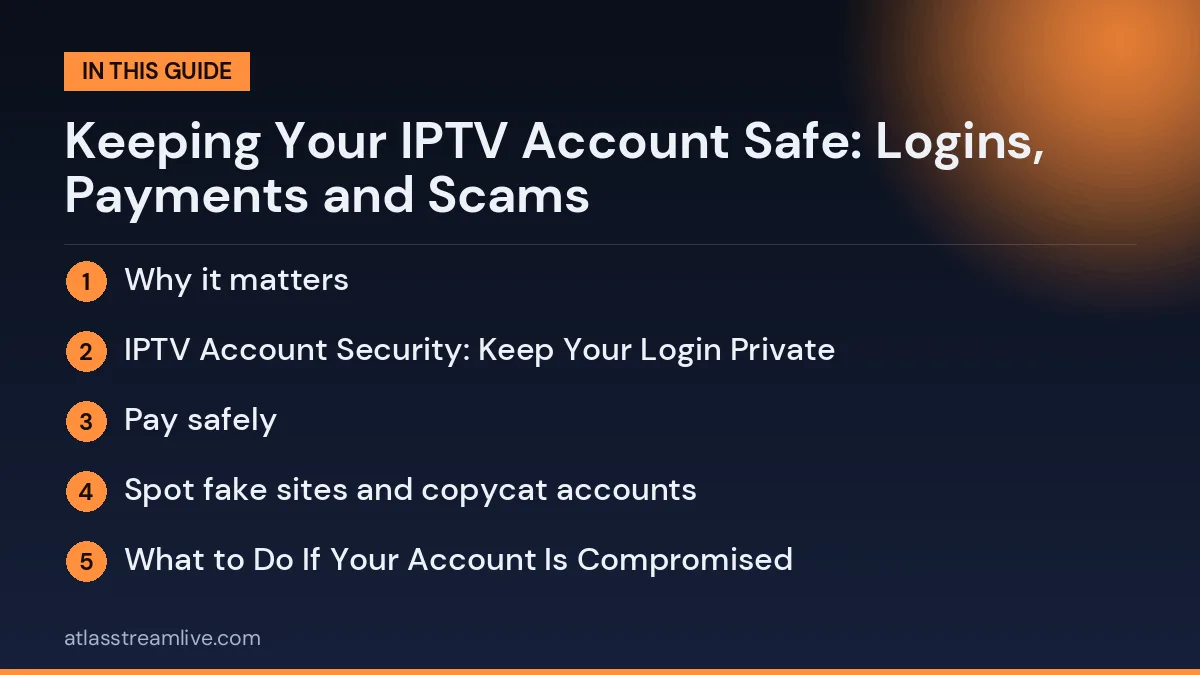
Why it matters
An IPTV login is a set of details that give access to a paid service. If it is shared, leaked or copied by someone else, your account can stop working, hit a device limit or be used by people you do not know. Payment details and personal messages are also a target for scammers who copy the names of real services. None of this is complicated to prevent, but it helps to build a few habits.
IPTV Account Security: Keep Your Login Private
Good IPTV account security protects your login, your payments and your devices from scams and misuse.
- Do not share your username, password or playlist link with people outside your household. Many services limit how many devices can be used at once, so sharing can cause problems for you. Our guide to simultaneous connections explains the limit.
- Do not post screenshots that show your login details or playlist link.
- Use a password that you do not use anywhere else, and keep it in a password manager rather than a note on your phone’s home screen.
- Keep a record of your details somewhere safe, so you are not tempted to ask for them again in an open chat.
Want to test it on your own TV first? Try AtlasStream Live free for 24 hours on your Firestick, Smart TV or phone. No payment needed.
Pay safely
Use a payment method that you are comfortable with and that gives you some protection, and read our guide to IPTV payment methods in the UK before you pay. Be careful of sellers who only accept methods that cannot be traced or reversed, who rush you to pay immediately, or who ask you to pay to a personal account that does not match the business name. Keep the receipt or confirmation message.
Spot fake sites and copycat accounts
Scammers copy the look and name of real businesses. Before you pay or log in, check three things.
- The web address. A slightly different spelling, extra words or an unusual ending can mean a copycat site. Type the address yourself rather than following a link in a message.
- The contact details. Use the contact details shown on the official site, not a number or account that sent you a message first.
- The request. A real service does not need your banking password, a one-time code from your bank or remote access to your device.
What to Do If Your Account Is Compromised
If you notice signs that someone else is using your account, such as unexpected connection limit errors, channels already playing when you open the app or login details that no longer work, act quickly. Contact your provider and ask them to reset your password or issue new login details. Change the password on any email account linked to your subscription, especially if you use the same password elsewhere.
Check your bank or card statements for payments you do not recognise, and contact your bank immediately if you see any. Review which devices are signed in and remove any you do not recognise. Going forward, avoid sharing your playlist link or login details, even with friends, and never post them in forums or group chats.
IPTV account security recovery steps
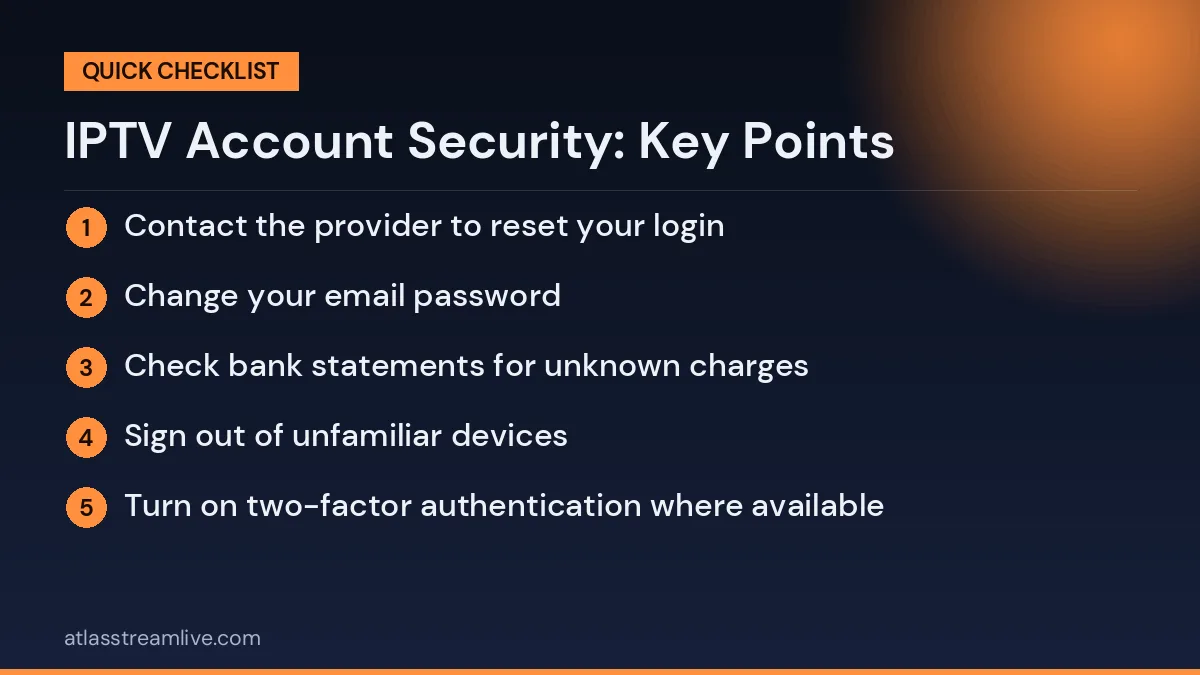
- Contact the provider to reset your login
- Change your email password
- Check bank statements for unknown charges
- Sign out of unfamiliar devices
- Turn on two-factor authentication where available
- Store new details in a password manager
The National Cyber Security Centre explains how to recover hacked accounts and protect yourself in future, with clear steps that apply to streaming services too.
Keeping Devices Secure at Home
Account security also depends on the devices you use. Keep your streaming stick, Smart TV, phone and router updated, as updates often fix security issues. Change the default password on your router and use WPA2 or WPA3 Wi-Fi encryption. Only install apps from trusted stores, and remove apps you no longer use. These simple steps protect both your IPTV account and the rest of your home network.
Beware of support scams
If someone contacts you out of the blue claiming your account has a problem and asks you to click a link or pay a fee, stop. Go to the official website, find the contact details yourself and ask there. Do not give out codes sent to your phone or email, and do not install software because someone on a call or chat asked you to.
A Monthly Security Check
Once a month, take five minutes to review your security. Check your bank statements for unfamiliar payments, look at which devices are signed in to your streaming account, make sure apps and devices are updated, and confirm your router password is still strong. If anything looks unusual, act straight away. This small habit catches problems early, before they become serious, and keeps your logins, payments and personal details safe throughout the year.
Good habits protect your account far better than any single setting.
Keep your devices updated
On your TV, Firestick, box and phone, install updates when they appear, remove apps you do not use and only install apps from the official store or from a source you trust. A very old device that no longer gets updates is a bigger risk than a new one. See our guide to IPTV red flags for how to judge a provider before you share anything.
What to Do If Something Looks Wrong With Your IPTV Account
If you think your login has been shared or copied, change your password straight away and contact the provider through the official channel. If you paid a scammer, contact your bank or card provider promptly and keep the evidence. If you gave out bank details, tell your bank immediately.
IPTV Account Security Checklist
Good IPTV account security comes down to a few simple habits. Use this checklist to make sure your account, payments and devices are protected.
| Area | What to do |
|---|---|
| Password | Use a unique password not used for email or banking |
| Login details | Keep them private and never post screenshots |
| Email account | Protect it with two-step verification, as it holds your login |
| Payments | Pay by card through a secure checkout and keep receipts |
| Apps | Install from official stores or trusted sources only |
| Devices | Keep software updated and reset before selling |
| Home Wi-Fi | Use a strong password and updated router firmware |
| Messages | Ignore unexpected requests for card details or remote access |
Creating Strong Passwords
A strong password is long and unique. The National Cyber Security Centre recommends using three random words, such as a combination of unrelated words, which is easier to remember and harder to guess than a short complex password. Never reuse the password from your email or bank. A password manager can store all your passwords safely so you only need to remember one.
Protecting Your Email Account
Your IPTV login details usually arrive by email, and password resets go there too. If someone gets into your email, they can get into many of your other accounts. Turn on two-step verification for your email, use a strong unique password, and check your email security settings for any devices or forwarding rules you do not recognise.
Signs Your Account May Be Compromised
- You see too many connections messages when nobody else at home is watching.
- Your favourites or settings change unexpectedly.
- You receive emails about password changes you did not make.
- There are charges on your bank statement you do not recognise.
- Support says your account was accessed from somewhere unusual.
If you notice any of these, change your password, contact your provider and check your bank statement.
Phishing Messages Targeting TV Customers
Scammers often send messages pretending to come from TV providers, TV Licensing or streaming services. Common examples include:
- Your subscription has expired, with a link to update payment details.
- Your account will be suspended unless you confirm your login.
- You are owed a refund, asking for card details to receive it.
- Your TV Licence has lapsed, with a link to a fake payment page.
- Exclusive offer for existing customers, with an unusual payment method.
Never click links in unexpected messages. Instead, go directly to the official website or app you normally use. Suspicious emails can be forwarded to the NCSC Suspicious Email Reporting Service at report@phishing.gov.uk, and suspicious texts can be forwarded to 7726.
Support Scams
Some scammers pose as technical support. They may call, message or appear in social media comments offering help with your TV setup. They then ask for remote access to your device, card details for a fee or your login details. Genuine support teams do not cold call asking for remote access or payment. Only contact support through the official channels listed on your provider website or receipt.
Keeping Devices Secure
- Install system updates on streaming devices, TVs, phones and routers.
- Install apps only from official stores or trusted sources.
- If you enable installs from unknown sources, switch it off again afterwards.
- Remove apps you no longer use.
- Reset devices to factory settings before selling or giving them away.
- Change default passwords on routers and smart devices.
Safe Payment Habits
Pay by card through a secure checkout page with a padlock in the address bar. Card payments give you options such as chargeback if a service is not provided, and credit cards may offer Section 75 protection for purchases over £100. Avoid paying through private messages, gift cards, cryptocurrency or transfers to personal accounts. Turn on payment notifications in your banking app so you see every charge immediately.
What to Do If Your Account Is Compromised
- Change your password or ask your provider to reset your login details.
- Change your email password if you think it was also accessed, and turn on two-step verification.
- Log out of devices you do not recognise, if your player or account allows it.
- Check your bank statement for unfamiliar payments and contact your bank if needed.
- Remove suspicious apps from your devices and restart them.
- Report fraud to Action Fraud if money was taken or you were tricked.
Sharing Within the Household Safely
Sharing a login with people who live with you is normal, as long as your plan allows enough connections. Keep it within the household. Sharing details with friends, neighbours or online groups can lead to connection limits being reached, account suspension and security risks. If you need to give someone your details, do it in person or by a private message, and never in public chats or social media posts.
Security for Children and Older Relatives
Children may not understand why logins are private, and older relatives may be targeted by scammers. Explain simply that TV logins are like house keys: you keep them safe and only give them to people you trust. For older relatives, write the name of their real provider and its official website on a card by the TV, so they know where to go for help and can spot fake messages more easily.
Spotting Fake Websites and Copycat Accounts
Fake websites often copy the name, logo and design of a real provider. Before entering any details, check:
- The web address. Look for misspellings, extra words or unusual endings.
- The padlock. A secure site shows https and a padlock, though this alone does not prove it is genuine.
- Contact details. Real businesses show clear ways to contact them.
- Social media accounts. Copycat accounts often have few followers, recent creation dates and slightly different names.
- Prices. Deals far cheaper than the official site are a warning sign.
If in doubt, type the official address yourself or use a bookmark rather than clicking a link.
Securing Your Home Network
Your home Wi-Fi connects every device you use for TV. Protect it with a strong password, keep router firmware updated and change the default router admin password. If your router offers a guest network, use it for visitors and smart home gadgets, keeping your main network for your own devices. These steps reduce the risk of someone else accessing your devices or using your connection.
Using a Password Manager
A password manager stores all your passwords in one secure, encrypted place. You only need to remember one strong master password. Most password managers can generate long, unique passwords for every account, fill them in automatically on websites and apps, and warn you if a password has appeared in a known data breach. Many phones and browsers include a built-in password manager. Using one makes it easy to follow good security advice without having to remember dozens of different passwords.
Two-Step Verification Explained
Two-step verification, sometimes called two-factor authentication, adds a second check when you log in. As well as your password, you enter a code sent to your phone or generated by an app. Even if someone learns your password, they cannot get in without the second step. Turn it on for your email, bank and any other account that offers it. It is one of the most effective security steps you can take, and it only takes a few minutes to set up.
Selling or Giving Away a Device
Before selling or giving away a streaming stick, box, Smart TV or phone, sign out of all apps and reset it to factory settings. This removes your IPTV login, streaming accounts, Wi-Fi password and personal data. Skipping this step can leave your account accessible to the next owner. Most devices have a reset option in the system settings.
Regular Security Check-Ups
Every few months, take ten minutes to review your security. Check that devices are updated, remove apps you no longer use, review your bank statement for unexpected subscriptions and make sure two-step verification is still active on your email. A short routine like this keeps small problems from becoming big ones.
Start with a trial, not a payment
One of the safest ways to try a new service is to test it before you pay anything. AtlasStream Live offers a free 24-hour trial with no card needed, so no payment details are required at the start. Our official WhatsApp contact is on this site, and you can message us there at this link. Start here: free 24-hour trial.
IPTV Account Security: Frequently Asked Questions
Should I change my password regularly?
Not necessarily. A strong unique password is more important than changing it often. Change it if you think it has been exposed.
Is it safe to save my login in the app?
Yes, on your own devices. Avoid saving it on shared or public devices.
Can I tell where my account is being used?
Some providers or players show active connections. Ask support if you are concerned.
What if I gave my card details to a fake site?
Contact your bank immediately to block the card and report the fraud.
The Short Version
Strong IPTV account security comes from a few simple habits: a unique password, a protected email account, private login details, safe card payments, apps from trusted sources, updated devices and a healthy suspicion of unexpected messages. If something looks wrong, change your passwords, contact your provider and bank, and report fraud. These steps protect your account, your money and your home network.