Tuesday and Wednesday nights in the Champions League are some of the most demanding evenings of the year for home streaming. Several matches kick off at the same time, millions of people watch at once, and your broadband is busy with everyone else in the house. A reliable Champions League IPTV UK setup means you can switch between games, follow your team and enjoy the big European nights without freezing pictures or missed goals.
This guide covers kick-off times, broadband needs, devices, picture settings, watching more than one match and what to do if something goes wrong during a game.
Want to test it on your own TV first? Try AtlasStream Live free for 24 hours on your Firestick, Smart TV or phone. No payment needed.
How the Modern Champions League Works for Viewers
The Champions League now uses a single league phase in which every club plays eight matches against different opponents, followed by knockout play-offs, the round of 16 and beyond. For viewers, this means more big matches early in the season and a busy calendar of midweek nights from September to January.
Most matchdays are split across Tuesday and Wednesday, with a smaller number of early kick-offs and a larger group of evening games. In the UK, early matches usually start at 5:45pm and the main evening slot at 8pm. Because several games run at once, many fans like to follow two matches at the same time or switch to a goals channel.
UK broadcast rights are held by subscription services, with TNT Sports showing most matches and Amazon Prime Video holding a selection of Tuesday games during the current rights cycle. Always check which service shows the match you want before the night.
Champions League IPTV UK: Kick-Off Times to Plan Around
| Slot | Typical UK time | Tip |
|---|---|---|
| Early kick-off | 5:45pm | Watch out for school-run and commuting traffic on home broadband |
| Main evening slot | 8:00pm | The busiest time of the week for streaming; prepare your network |
| Knockout rounds | 8:00pm | Extra time and penalties can run past 10:30pm |
Add the matches you care about to your phone calendar with reminders 30 minutes before kick-off. That gives you time to restart your router and device, open the right channel and check the picture before the anthem.
Broadband Speeds for Midweek European Nights
Evening broadband speeds in the UK are often lower than daytime speeds, because so many households are online at once. Champions League nights add even more demand. For steady streaming, aim for at least 15 Mbps for each HD stream and 25 Mbps or more for 4K. If you plan to watch two matches on two screens, double those figures and leave headroom for phones and laptops.
Test your speed at 8pm on a Tuesday or Wednesday, not in the morning. Run the test on the device you will use, or on a phone next to the TV, using a tool such as Speedtest. If speeds drop a lot in the evening, a wired connection to the TV and pausing other downloads during the match make a big difference. Our guide to internet speed for IPTV explains the numbers in more detail.
Getting Your Home Network Ready
Your home network is the part of the chain you control completely. A few changes before the season starts can transform how stable your streams are on European nights.
- Use Ethernet for the main TV: a cable removes Wi-Fi interference and is the most reliable option for live football.
- Place the router well: central, raised and away from thick walls, mirrors and metal cabinets.
- Use 5 GHz Wi-Fi: if you cannot use a cable, connect the streaming device to the faster band.
- Add mesh Wi-Fi: in larger homes, a mesh point near the TV gives a much stronger signal.
- Pause big downloads: game updates, cloud backups and large uploads compete with your stream.
- Restart before kick-off: a quick router and device restart 30 minutes before the match clears long-running issues.
For a full comparison, read our guide to Wi-Fi or Ethernet for IPTV.
Watching Two Matches at Once
With several games kicking off together, many fans want to follow more than one. There are three common ways to do it, each with its own requirements.
| Method | What you need | Things to watch |
|---|---|---|
| Two screens | Two devices and a plan with at least two connections | Broadband must handle two HD streams |
| Picture-in-picture or multi-view | A player app that supports it and a powerful device | Uses more bandwidth and processing power |
| Main TV plus phone or tablet | A second device and enough connections | Small screen, but easy to set up |
Before a big night, check how many connections your plan includes. Our guide to IPTV simultaneous connections explains how to work out what your household needs. Test the setup on an earlier matchday so you know it works before the knockout rounds.
Build a Champions League favourites group
Add every channel showing European football to one favourites group, in the order you use them most. Include backup feeds where available. On match nights, switching between games then takes a couple of presses rather than scrolling through hundreds of channels.
Best Picture Settings for Fast Football
European football is played at high speed, with long passes and quick counter-attacks. A few settings help the picture keep up.
- Choose the Sport or Standard picture mode rather than Vivid.
- Turn off heavy noise reduction, which can blur moving players.
- Set motion smoothing to low or off, depending on what looks natural to you.
- Pick a 50 frames per second stream if your service offers one.
- Choose steady HD over unstable 4K if your connection is borderline.
- Set the device resolution to Auto and turn on match frame rate if available.
Wide camera angles are where poor quality shows most. A smooth, stable HD stream makes it much easier to follow the ball, see the offside line and spot runs off the ball.
Choosing the Right Device
The device connected to your TV has a big effect on how smooth European football looks. Older sticks can struggle with high frame-rate streams, overheat behind the TV or run out of memory during long evenings.
| Device | Strengths | Watch out for |
|---|---|---|
| Firestick 4K Max | Affordable, fast, easy setup | Use the HDMI extender to avoid overheating |
| Google TV Streamer | Ethernet port, fast menus | Higher price |
| Certified Android TV box | Ethernet, more storage | Avoid uncertified boxes without updates |
| Smart TV app | No extra device needed | Older TVs can be slow |
| Phone or tablet | Great second screen | Battery drain, smaller picture |
If you watch a lot of live sport, a device with an Ethernet port is one of the best upgrades you can make.
Match Night Routine
| When | What to do |
|---|---|
| Morning of the match | Check kick-off time and which channel shows it |
| One hour before | Ask the household to pause big downloads |
| 30 minutes before | Restart router and streaming device |
| 15 minutes before | Open the channel, check picture and sound |
| Half-time | Avoid opening heavy apps on the same device |
| After the match | Note any problems for next time |
This routine takes only a few minutes, but it prevents most of the problems fans experience on busy European nights.
What to Do If the Stream Freezes
- Switch to a backup feed in your favourites group.
- Close and reopen the player app.
- Check whether other devices in the house are downloading.
- Restart the streaming device by unplugging it for 30 seconds.
- Only restart the router as a last resort, as it takes a few minutes.
- Use a phone on mobile data as a temporary backup.
If the same problem happens every matchday at the same time, it is usually caused by evening congestion on your broadband or weak Wi-Fi near the TV. Fixing that once, with Ethernet or mesh Wi-Fi, solves it for the rest of the season. Our guide to streaming live sport smoothly has more fixes.
Avoiding Spoilers on European Nights
Streams usually run slightly behind traditional broadcast, sometimes by 30 seconds or more. With so many matches on at once, goal alerts can arrive on your phone before you see the goal. Turn off notifications from football and news apps during the match, mute busy group chats and avoid social media until full time.

Following English Clubs in Europe
English clubs usually make up a large share of the Champions League field, which means more matches that UK fans want to watch live. When two English teams play on the same night, many households want both games on at once. Plan ahead for these nights: check your connections, set up a second screen and agree in advance which match goes on the main TV.
Scottish fans following Celtic or Rangers in Europe face similar choices. Whatever team you follow, build your favourites group at the start of the season and update it as the competition moves into the knockout rounds.
Watching With Friends
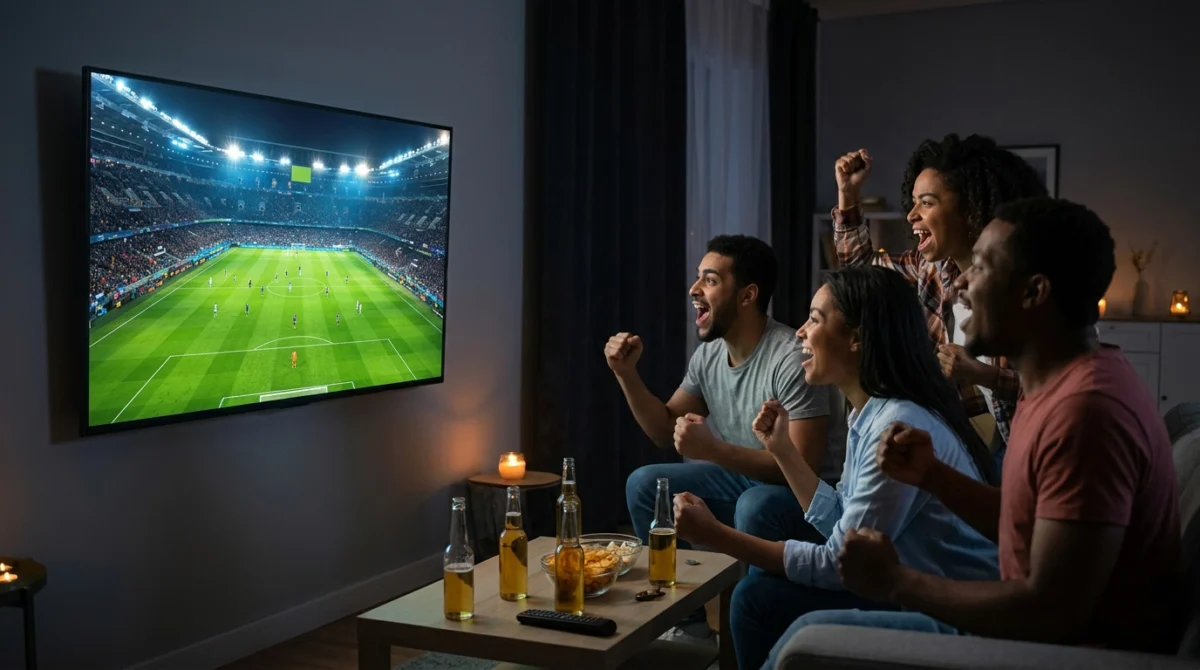
Champions League nights are great for watching together. If you host friends, connect the main TV by Ethernet, set up a guest Wi-Fi network for visitors and ask everyone to avoid video calls or big downloads during the match. Turn on the TV Sport picture mode and connect a soundbar for the stadium atmosphere. Keep a phone or tablet ready with a second match or a backup feed.
- Main TV on Ethernet
- Guest Wi-Fi for visitors
- Soundbar set to sport or stadium mode
- Backup device ready
- Notifications muted to avoid spoilers
Catch-Up and Highlights
Midweek matches are not always easy to watch live, especially the 5:45pm kick-offs. If your service offers catch-up, you can watch later in the evening. Highlights programmes and goals shows are another good option when you want to follow every result without watching each match in full. Check how long catch-up stays available, as it is usually limited to a few days. Our IPTV catch-up guide explains what to look for.
Getting Ready for the Knockout Rounds
The knockout rounds bring the biggest audiences of the season. Matches can go to extra time and penalties, so make sure nothing switches off late in the evening: turn off TV eco timers and device sleep settings. Renew your plan in good time so it does not expire before a big tie, and test your setup on the evening before. Small preparations like these make the difference between a stressful night and a memorable one.
Champions League IPTV UK: Frequently Asked Questions
What time do Champions League matches start in the UK?
Most evening matches start at 8pm UK time, with some earlier kick-offs at 5:45pm.
What speed do I need?
Around 15 Mbps per HD stream and 25 Mbps or more for 4K. Double it if you watch two matches at once.
Can I watch two games at the same time?
Yes, if your plan has enough connections and your broadband can handle two streams. Picture-in-picture is another option on some apps.
Why does my stream buffer at 8pm?
It is the busiest time for home broadband. Use Ethernet, pause downloads and restart the router before kick-off.
Do I need a TV Licence?
Yes, you need a TV Licence to watch live TV in the UK on any device.
The Short Version
A smooth Champions League IPTV UK setup comes down to preparation: check kick-off times, test your broadband at 8pm, use Ethernet for the main TV, build a favourites group with backup feeds and have a plan for watching two matches at once. With that in place, every European night can be enjoyed from the first whistle to the last penalty.
Sound Settings for the Stadium Atmosphere
European nights are famous for their atmosphere: the anthem, the floodlights and the noise from the stands. Good sound brings that into your living room. If you have a soundbar or home cinema system, choose a sport or stadium mode and turn on dialogue enhancement if commentary is hard to hear over crowd noise. If commentary drifts out of sync with the picture, use the AV sync or lip-sync setting on the TV or soundbar and adjust in small steps.
Watching late while others sleep? Wireless headphones work well, but pair them before the match. Bluetooth can add a small audio delay, so test them on a normal evening first and adjust the sync setting if needed.
Keeping Your Account Secure During Big Matches
Big football nights attract fake streams and scam offers on social media, often promising free access to the biggest matches. These links can lead to malware, phishing pages that steal login details or payment scams. Stick to your trusted service, never share your login details in group chats and avoid clicking links from people you do not know. The National Cyber Security Centre has clear guidance on avoiding online scams and protecting your devices.
A Season-Long Checklist
- Write down the matchdays that matter to you and set reminders
- Check how many connections your plan includes
- Test your broadband at 8pm on a midweek evening
- Connect the main TV by Ethernet or strong 5 GHz Wi-Fi
- Build a European football favourites group with backup feeds
- Turn off TV and device sleep timers before late knockout matches
- Renew your plan before it expires during the knockout rounds
- Keep a phone or tablet ready as a backup screen
Working through this list once at the start of the league phase prepares you for every European night through to the final.
After the Final Whistle
After each matchday, think about how your setup performed. Did streams hold up at 8pm? Was the picture sharp in wide shots? Did switching between matches work smoothly? Make a short note of anything to improve, such as moving the router or adding a mesh point. Fixing small issues early in the season pays off when the stakes are highest in the spring.
Planning for Different Households
Every home watches European football differently. A single fan may only need one screen and a reliable connection. A family might have the match on the main TV while children watch cartoons upstairs. A shared house might have two fans supporting different clubs playing at the same time. Think about your busiest Champions League night and count how many screens are in use at once. That number tells you how many connections you need and how much broadband headroom to leave. If you regularly come close to the limit, a plan with one extra connection avoids arguments on the biggest nights.
It also helps to agree simple house rules: the main TV has priority during big matches, large downloads wait until after full time, and anyone streaming on a phone uses mobile data if the home network is struggling.
When Matches Clash With Other Sport
Midweek European nights sometimes clash with domestic cup ties, darts or other live sport. Decide in advance which event goes on the main TV and use a second screen for the other. A clear plan avoids last-minute arguments and makes sure nobody misses the moment they care about most.