Understanding M3U vs Xtream Codes makes setting up any IPTV player much easier, because it tells you exactly what to enter and why.
An M3U playlist is a link to a file that lists channels and where to find each stream. You paste the link into your player app, and the app loads the list. It is simple and works in most players. The downside is that the app often has to download and read the whole list, which can be slow on a large list, and guide data may need to be added separately.
Want to test it on your own TV first? Try AtlasStream Live free for 24 hours on your Firestick, Smart TV or phone. No payment needed.
Most failures come from a typo, an extra space copied with the link, or an out-of-date app. Re-enter the details carefully and update the app. Our IPTV troubleshooting guide covers other causes, and our guide to IPTV players explains the app side. Programme-guide problems are covered in our EPG guide.
M3U vs Xtream Codes: Side-by-Side Comparison
The simplest way to understand M3U vs Xtream Codes is to compare what each one gives you inside a player app.
| Feature | M3U playlist | Xtream Codes login |
|---|---|---|
| What you enter | One long web link | Server address, username and password |
| Live channels | Yes | Yes |
| Movies and series | Sometimes, as a long list | Usually organised into separate sections |
| Programme guide | Often needs a separate EPG link | Usually loaded automatically |
| Catch up | Limited support | Usually supported |
| Account information | Not shown | Expiry date and connections often shown |
| Typing on a TV remote | Long link, easy to mistype | Shorter fields |
| App compatibility | Very wide | Most popular IPTV players |
What an M3U Playlist Actually Contains
An M3U file is a plain text list. Each entry contains a channel name, sometimes a logo and a group name, and the address of the stream. When you add an M3U link to a player, it downloads this list and shows the channels. Because it is just a list, an M3U playlist does not include account details or rich information unless the player fetches it from elsewhere. That is why the guide often needs a separate link.
What an Xtream Codes Login Does Differently
An Xtream Codes style login connects your player to an interface on the provider side. Instead of downloading one big list, the player asks the server for live categories, films, series, guide data and account details separately. This usually makes setup easier and gives you a more organised experience, with films and series in their own sections and the guide loaded automatically.
Which Should You Choose?
- Choose Xtream Codes if your player supports it. It is usually the easiest option with the most features.
- Choose M3U if your player only supports playlists, or if you want to use an app that does not offer Xtream login.
- Try both if one gives you problems. They use the same account, so switching is quick.
How to Add an Xtream Codes Login
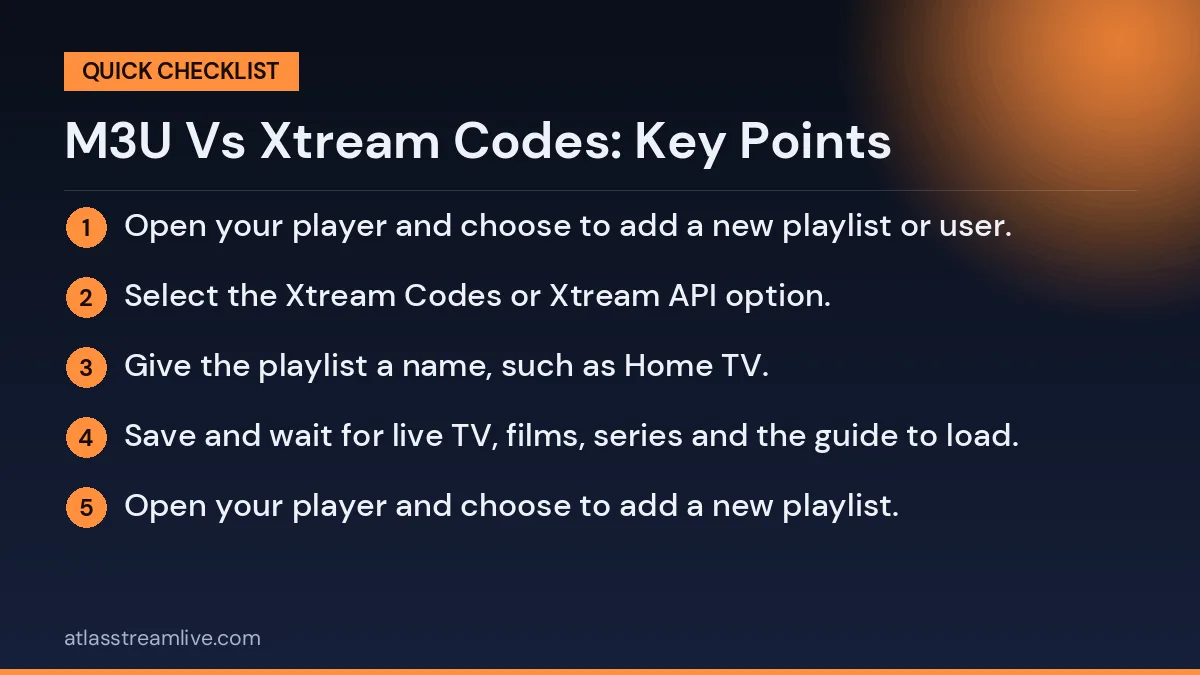
- Open your player and choose to add a new playlist or user.
- Select the Xtream Codes or Xtream API option.
- Give the playlist a name, such as Home TV.
- Enter the server address exactly as provided, including the http or https part and any port number.
- Enter your username and password, paying attention to capital letters.
- Save and wait for live TV, films, series and the guide to load.
How to Add an M3U Playlist
- Open your player and choose to add a new playlist.
- Select the M3U or playlist URL option.
- Paste the full M3U link. Typing it with a remote is slow, so use a phone companion app or a short web code if the player offers one.
- If the player asks for an EPG or XMLTV link, paste the guide address from your provider.
- Save and wait for the channels to load.
Common Setup Errors and Fixes
| Error | Likely cause | Fix |
|---|---|---|
| Invalid login or authorisation failed | Typing error or wrong login type | Re-enter carefully, check capitals and spaces |
| Server not found | Server address typed wrongly or missing port | Copy and paste the exact address |
| Playlist empty | Incomplete M3U link | Check the whole link was pasted |
| No guide | EPG link missing with M3U | Add the guide address separately |
| Account expired | Trial or plan has ended | Check your plan or contact support |
| Too many connections | Login in use on another device | Stop playback elsewhere or upgrade plan |
Keeping Your Details Private
Both an M3U link and an Xtream login give access to your account. Treat them like a password. Do not post them in public forums, share screenshots of them online or give them to people outside your household. If you think your details have been shared, ask your provider to reset them. The National Cyber Security Centre has simple advice on keeping online accounts secure.
Which Players Support Which Format?
Most well-known IPTV players support both formats, but some are built around one. Before you install, check the app description or settings for the words Xtream Codes, Xtream API, M3U or playlist URL. As a general pattern:
- Full-featured players usually support both, and often recommend Xtream for easier setup.
- Simple media players often only accept M3U playlists.
- Some Smart TV apps ask you to upload a playlist through a website using a code shown on the TV.
- MAG boxes use a different method entirely: a portal address linked to the box MAC address.
Performance Differences
For live channels, picture quality is the same whichever format you use, because both point to the same streams. The differences are in loading and organisation. A very large M3U playlist can take a while to download and parse, especially on older devices, and may slow the app. An Xtream login loads categories as needed, which can feel quicker. If your app is slow with an M3U playlist, switching to Xtream login often helps.
Using the Same Account in Different Apps
You can usually use the same account in several players and on several devices. For example, you might use an Xtream login in a full-featured player on your living room Firestick and the M3U link in a simple player on a laptop. Just remember that your plan limits how many streams can play at the same time, regardless of which format or app you use.
When Details Change
Providers occasionally change server addresses or update playlists. If channels suddenly stop loading in every app, check your email for an update from your provider. With Xtream logins, you may only need to update the server address. With M3U, you may need to paste a new link. Keeping your details in a safe note makes these updates quick.
Typing Long Details on a TV Remote
Entering a long M3U link or server address with an on-screen keyboard is slow and easy to get wrong. A few tricks help:
- Use a companion phone app. Fire TV, Google TV and many Smart TVs have phone apps that let you type with your phone keyboard.
- Use a web upload code. Some players show a short code and a website address; you enter your details on a phone or computer and they appear on the TV.
- Plug in a keyboard. Many Android boxes accept a USB or Bluetooth keyboard.
- Use voice typing for usernames if your remote supports it, then check carefully.
- Prefer Xtream login where possible, since the fields are shorter than an M3U link.
A Simple Way to Picture the Difference
Think of an M3U playlist as a printed list of TV channels with their addresses. Your player reads the list and shows what is on it, but it knows nothing else about your account. An Xtream Codes login is more like signing in to an online account. The player can ask questions: what categories exist, which films are available, what is on the guide tonight, when does my plan expire. That conversation is what makes Xtream logins feel more organised and complete in most apps.
Setting Up Several Devices
If you have more than one TV, set up the same login type on each device to keep things consistent. Use the same player where possible, so menus and favourites look the same in every room. Write your details in a secure note so you can enter them quickly on a new device. If the player supports backups, save one after setting up your favourites, then restore it on the other devices to avoid repeating the work.
Getting Help From Support
If you are stuck, tell support which player and device you are using, which login type you tried, and the exact error message. A photo of the screen helps. Many setup problems are fixed in minutes once support knows what you see. If one format will not work in your app, ask whether they can provide the other, or recommend a player that works best with their service on your device.
Before You Start a Trial
Install your chosen player before requesting a trial, and check whether it supports Xtream login, M3U or both. Then, when your details arrive, you can start watching within minutes instead of spending part of your trial searching for the right app.
Organising Channels After Setup
Once your login or playlist has loaded, the next step is the same whichever format you used: make the channel list manageable. Large lists can contain thousands of entries across many categories. Start by hiding categories you will never watch, if your player allows it. Then create a favourites group with the twenty or thirty channels you use most, and a second group for films or sport if you like. Some players also let you reorder favourites so the most-watched channel is always at the top. Spending ten minutes on this right after setup makes every evening faster and helps everyone at home find what they want without scrolling.
What About Security and Updates?
Whichever format you use, keep your player app up to date. Updates fix bugs, improve compatibility with new devices and sometimes improve how the guide and library load. Install players from official app stores or trusted sources only, and avoid modified versions shared online, which can contain unwanted code. A secure, updated app protects both your device and the account details stored inside it, and helps your setup stay reliable for the long term.