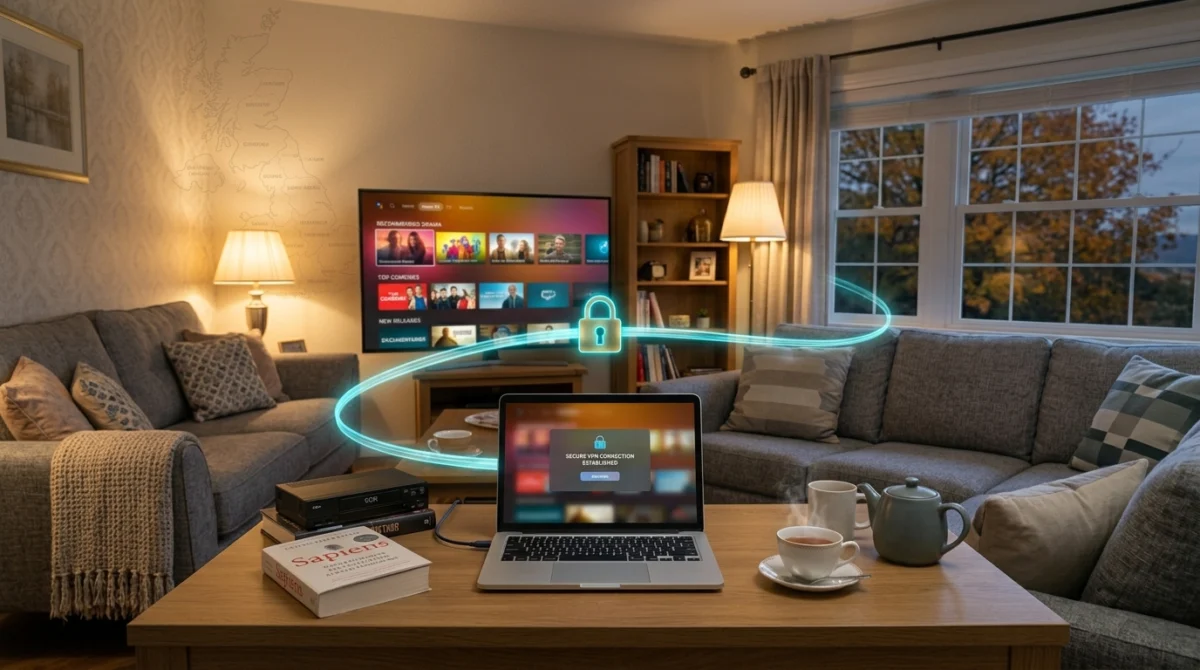
Many viewers wonder whether IPTV and VPN in the UK should go together, and for most homes the honest answer is that a VPN is not needed.
If you have spent time in streaming forums, you have probably seen the debate. Some people say you must use a VPN with IPTV, no exceptions. Others say it is unnecessary and just adds lag. Both sides are partly right, and neither tells the whole story. The answer depends on what you are trying to do, so this guide goes through the real reasons someone in the UK might want a VPN and the reasons plenty of people do without one.
What a VPN Does to Your Connection When Using IPTV and VPN in the UK
A VPN encrypts your internet traffic and sends it through a server in a location you choose. Your internet provider sees encrypted data going to a VPN server rather than the sites or services you connect to. That is the core of what it does.

Want to test it on your own TV first? Try AtlasStream Live free for 24 hours on your Firestick, Smart TV or phone. No payment needed.
The trade-off is that your traffic takes a longer route. Instead of going straight from your home to the service, it goes to the VPN server first. That extra hop adds some delay, depending on where the server is and how busy it is.
Does IPTV in the UK Need a VPN to Work?
No. A paid IPTV subscription works like any other streaming service: you log in, the channels load and you watch. There is no technical barrier that a VPN removes for normal use, and the streams reach you over your broadband connection without extra software. Many people use their subscription for months without a VPN and have no reason to add one, which saves them a monthly cost and one more thing to manage.
A VPN also does not change the legal position of what you watch. If you are unsure about a service, read our guide to whether IPTV is safe and legal in the UK before you subscribe.
Possible Reason One: Peak-Time Buffering That Does Not Match Your Speed
Some broadband providers use traffic management at busy times, typically in the evening. The pattern people describe is a speed test that looks healthy while streams buffer, then improve for a while after a restart, then degrade again at the same time each evening. That pattern can have other causes too, including Wi-Fi congestion, an overloaded device or the service itself, so work through those first. Our IPTV troubleshooting guide shows how.
If you have ruled the other causes out, a VPN is a quick way to test whether your provider’s handling of traffic is the problem. Because the provider only sees encrypted traffic, rules aimed at video traffic would not apply. This is not guaranteed to help, and it may make no difference or make things worse, so treat it as a test rather than a fix.
Possible Reason Two: Public Wi-Fi
A VPN is worth considering on public Wi-Fi regardless of IPTV. Hotels, airports, cafes and pubs run shared networks that are easier for other users to snoop on. If you watch on a phone or tablet while out, a VPN keeps your traffic and login details private. That is general good practice for any sensitive activity on a shared network.
Common VPN Problems and Quick Fixes
If you decide to use a VPN with IPTV in the UK, you may notice some side effects. The most common is slower speed, because traffic travels through an extra server. Choose a VPN server close to you, ideally in the UK, and use a modern protocol such as WireGuard for better performance. If streams buffer only when the VPN is on, try another server or turn the VPN off for the streaming device using split tunnelling, if your VPN app supports it.
Other common issues include apps not loading, the guide showing the wrong time and logins being rejected. These usually happen when the VPN server is in another country. Switching to a UK server normally fixes them. Keep the VPN app updated, and restart both the VPN and the IPTV app if anything stops working.
Quick checklist when using a VPN
- Use a UK server for UK content
- Pick a fast protocol such as WireGuard
- Use split tunnelling if streams slow down
- Test speed with and without the VPN
Remember that a VPN protects your privacy on the network but does not change what you are allowed to watch. The question of IPTV and VPN in the UK is mainly about privacy and security, not about accessing content you are not entitled to.
Should Everyone Use a VPN?
Not every household needs one. If your home network is secure, your devices are updated and you mainly watch at home, a VPN may add little benefit and can slow streams. It becomes more useful on public Wi-Fi, in hotels or when you want extra privacy online. Think about where and how you watch, then decide whether the extra privacy is worth the possible drop in speed.
Free VPNs Can Make Streaming Worse
If you want to try a VPN to see whether it helps, be wary of free services. Free VPNs often have limited servers shared by many users, so speeds are poor and inconsistent. Some also make money from user data, which defeats the purpose of using a VPN for privacy. If you use a VPN at all, look at the policies and independent reviews of a paid service rather than choosing on price alone.

Setting Up a VPN on Different Devices
Setup varies by device. On a Firestick you can usually install a VPN app from the app store in a few minutes, and the same goes for Android phones and tablets and for iPhones and iPads. Smart TVs are trickier because not every model supports VPN apps. The usual solution is to set up the VPN on your router, which covers every device on your home network, though it takes more effort to configure. Our Firestick setup guide covers the basics for that device.
Will a VPN Slow Down Your Picture?
It can. The biggest factor is the distance between you and the VPN server. A nearby server adds little delay, while a distant one adds a lot. Choose the closest server and, if your app shows it, the one with the lowest response time. On a reasonably fast broadband connection, a nearby server usually makes little visible difference, and encryption itself puts very little load on modern phones and TV boxes.
Using a VPN With an IPTV App
IPTV player apps do not usually need special settings to work alongside a VPN. Turn the VPN on first, then open the app. One VPN setting to be aware of is the kill switch, which cuts your internet if the VPN drops. It is good for security, but it can be annoying during a live match if the VPN has a brief hiccup, so decide which matters more to you.
IPTV and VPN in the UK: Pros and Cons at a Glance
Whether IPTV and VPN in the UK belong together depends on your situation. This table summarises the main trade-offs.
| Possible benefit | Possible drawback |
|---|---|
| Extra privacy on public or shared Wi-Fi | Slower speeds, especially with distant servers |
| Encrypts traffic between you and the VPN provider | Can increase buffering during live sport |
| May help in rare cases of unusual routing problems | Monthly cost on top of your subscription |
| Useful for general security when travelling | Some apps or services may not work through a VPN |
Is Using a VPN Legal in the UK?
Yes. VPNs are legal in the UK and widely used by businesses and individuals for privacy and security. However, a VPN does not change whether the content you watch is licensed. Using a VPN to hide access to unlicensed content does not make it legal, and a provider that tells you to use one to avoid being traced is giving you a warning sign about itself.
Choosing a VPN If You Decide You Need One
If you have a genuine reason to use a VPN, choose carefully. A poor VPN is one of the most common causes of streaming problems.
- Pick a reputable paid service. Free VPNs often have slow, crowded servers and may collect your data.
- Choose a nearby server. A UK server usually gives the best speed for UK viewing.
- Use a modern protocol. WireGuard and similar protocols are typically faster than older options.
- Look for split tunnelling. This lets you send some apps through the VPN and others directly, so your TV app can avoid the slowdown.
- Check device support. Make sure there is a proper app for your Fire TV, Android TV or router.
Testing the Difference Yourself
- Run a speed test with the VPN switched off and note the result.
- Turn the VPN on, connect to a UK server and test again.
- Watch the same live channel for 15 minutes with the VPN off, then on.
- Compare picture stability and channel switching speed.
If the picture is smoother with the VPN off, which is the most common result, you are better off without it for TV viewing. The free Speedtest tool makes this comparison quick.
Do UK Broadband Providers Slow Down Streaming?
A common reason people consider a VPN is the belief that their internet provider deliberately slows down streaming. In the UK, open internet rules overseen by Ofcom generally require providers to treat traffic fairly, although they can manage their networks during congestion. In practice, most evening slowdowns are caused by general congestion when everyone is online, not by targeted throttling. A VPN cannot add capacity to a busy network, so it rarely fixes this kind of problem and often makes it slightly worse.
Better Fixes Than a VPN for Buffering
- Use an Ethernet cable between the router and the TV device.
- Move the router to an open, central position.
- Add a mesh Wi-Fi point near the TV in larger homes.
- Switch to 5 GHz Wi-Fi when the device is close to the router.
- Lower the stream quality from 4K to HD at peak times.
- Restart the router and device once a week.
- Pause heavy downloads on other devices during live events.
These changes address the real causes of most buffering and do not add any extra cost or complexity.
Using a VPN on a Router
Some people install a VPN on their home router so every device is covered. This is convenient but has a downside: all traffic, including your TV, goes through the VPN, and many home routers are not powerful enough to encrypt traffic at full speed. If you go down this route, use split tunnelling or a device exclusion so your streaming box connects directly, and test carefully before relying on it.
Security Without a VPN
You can keep your home streaming setup secure without a VPN. Use a strong Wi-Fi password, keep your router firmware updated, install apps only from official stores or trusted sources, and use unique passwords for your accounts. The National Cyber Security Centre has clear, free guidance on securing home devices.
When Travelling Abroad
Many people first think about a VPN when they travel. Hotel and airport Wi-Fi networks are shared and sometimes poorly secured, so a reputable VPN can add a useful layer of privacy for general browsing and banking. For TV viewing, remember that many services and broadcaster apps are licensed for specific countries, and their terms may not allow viewing abroad. Check the terms of each service before you travel rather than assuming a VPN solves everything. For catch-up programmes, downloading episodes in official apps before you leave is often the simplest option.
A Simple Decision Guide
| Your situation | Do you need a VPN for TV? |
|---|---|
| Watching at home on your own broadband | Usually no |
| Buffering only in the evening | No, improve Wi-Fi or use Ethernet instead |
| Using public Wi-Fi in a cafe or hotel | A reputable VPN can help with general privacy |
| Wanting more privacy online in general | Optional, but exclude your TV device if it slows down |
| A provider tells you a VPN is required to avoid detection | Treat this as a warning sign about the provider |
Testing a VPN With AtlasStream Live
If you are not sure whether a VPN helps your viewing, test it properly. Use the free 24-hour trial from AtlasStream Live (no credit card needed) to compare streams with and without a VPN at the time of day you normally watch. Request it on the free trial page or message us on WhatsApp if you need help with setup.
IPTV and VPN in the UK: So Do You Actually Need One?
Most UK viewers with a solid broadband connection and a working subscription do not need a VPN to get a good experience. A VPN earns its place if you see consistent buffering at peak times that does not match your internet speed, or if you regularly watch on public Wi-Fi. Test your streams without a VPN first, and add one only if you are running into problems that suggest you need it.
IPTV and VPN in the UK: Frequently Asked Questions
Will a VPN improve picture quality?
Rarely. A VPN adds an extra step to your connection, which usually lowers speed slightly. Picture quality is more likely to improve with a wired connection or better Wi-Fi.
Do I need a VPN for my Firestick?
No. A Firestick works perfectly well for streaming without one. Only add a VPN if you have a separate privacy reason, and test it carefully.
Are free VPNs safe?
Many free VPNs are slow and some collect and sell user data. If you need a VPN, a reputable paid service is the safer choice.
Can a VPN stop buffering?
Only in rare cases involving unusual routing problems. Most buffering comes from home Wi-Fi or network congestion, which a VPN cannot fix.
Is it legal to use a VPN with IPTV?
Using a VPN is legal in the UK. It does not change whether the content you watch is licensed, so the same rules apply with or without one.
Which VPN server should I choose?
A server in the UK, close to you, normally gives the best speed and stability for UK viewing.
The Bottom Line
For most UK homes, IPTV and VPN in the UK do not need to go together. A VPN is a useful privacy tool in the right situations, especially on public Wi-Fi, but it rarely improves TV streaming and often adds a little delay. If you have buffering, start with the simple fixes: an Ethernet cable, a better router position, 5 GHz Wi-Fi and fewer heavy downloads during live events. If you still want a VPN for privacy, choose a reputable paid service, connect to a UK server, use split tunnelling for your TV device and test the difference yourself. That way, you get the privacy you want without sacrificing the picture you pay for.
Keep it simple: fix your home network first, and only add a VPN if you have a clear privacy reason for doing so.
Want to test it yourself? Request your free 24-hour trial.
Already sure? See plans and subscribe → · from £15, no contract.