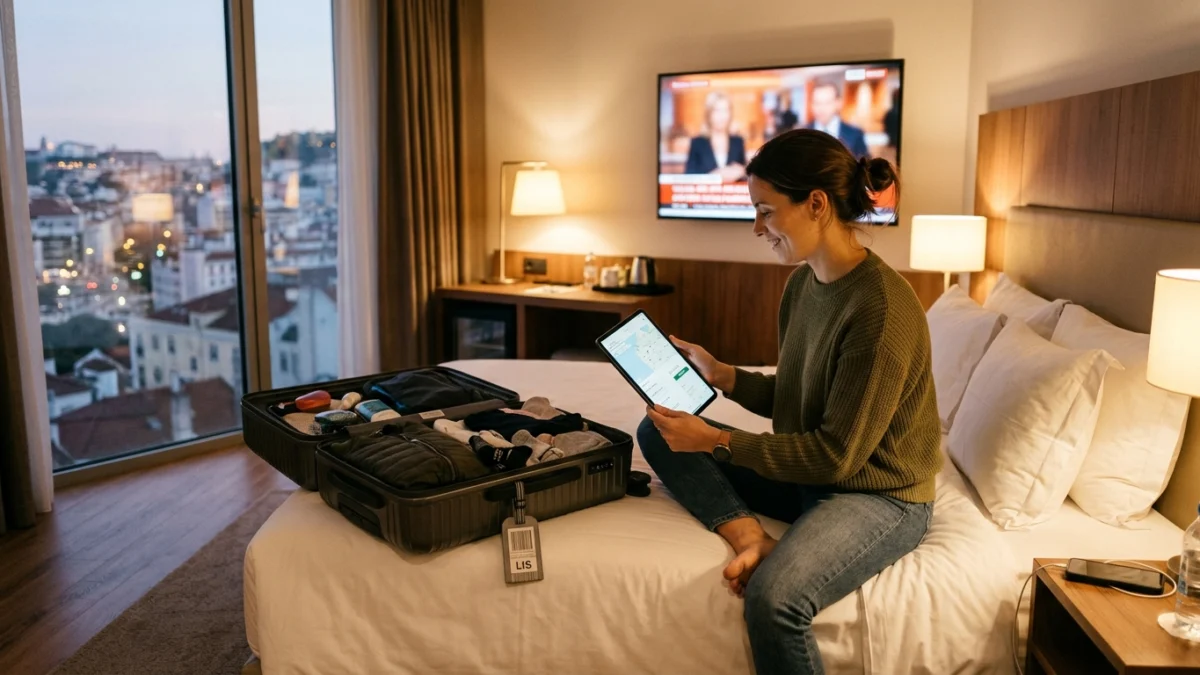
What changes when you watch TV abroad
When you travel, the service itself stays the same, but the place you watch from changes. Some content is restricted by location, a practice often called geo-blocking, and hotel or rental Wi-Fi is usually slower and busier than your home broadband.
Availability can vary by location, so test before you rely on it. Install and test your setup at home first, so you know what to expect before you pack.
6 easy steps to watch TV abroad without surprises
- Install the app on every device. Do it at home, while your home connection is fast and stable.
- Save your login details. Keep your username, password and server address somewhere safe, even offline.
- Test on another network. Use your phone as a hotspot at home to check that the app works on a different connection.
- Check the Wi-Fi on arrival. Run a quick speed test at your hotel or rental before you plan an evening around it.
- Pack a backup. A phone or tablet with the app installed is the lightest backup you can carry.
- Know where to get help. Our support team is available 24/7 on WhatsApp.
Check your connection before you rely on it
Shared Wi-Fi in hotels and rentals can be slow in the evening, when everyone is online. If the signal is weak, move closer to the router or use your own mobile hotspot instead.
A steady line matters more than a very fast one. Our guide to internet speed for IPTV explains what to test, and our Wi-Fi or Ethernet guide helps you choose the best connection.
Devices to pack when you watch TV abroad
A phone or tablet is the easiest option because it needs no extra cables. If you want a bigger screen, a Firestick or Android TV box plugs into the HDMI port of most hotel TVs, and a small power adapter completes the kit.
Every plan includes 1 connection. You can add up to 5 connections when you order. Our compatible devices guide lists what works best.
Stay safe and keep your account private
Do not share your login with other travellers, and avoid entering account details on public computers. On public Wi-Fi, keep your device updated and avoid unknown networks that ask for personal details.
If anything looks wrong with your account while you are away, message our support team on WhatsApp. We can help you quickly, whatever the time zone.
Common problems when you watch TV abroad and how to fix them
If the app does not load, restart it, then your device, then the router or hotspot. If channels load slowly, move closer to the Wi-Fi source or try again outside the busiest evening hours. If you cannot log in, check that your login details are typed exactly as we sent them.
Our guide to IPTV not working lists more fixes, and our support team is available 24/7 on WhatsApp if you need help.
Plan your viewing around time zones
Live events start at the local time of the event, not the time where you are staying. Before you travel, check the start time in your hotel time zone, and set a reminder on your phone so you do not miss the beginning.
If you often watch live sport while travelling, our guide to streaming live sport smoothly has useful tips, and the TV guide article explains how to read listings.
What to pack and check the night before you travel
The night before you travel, charge every device, update the app and run a short test on mobile data as well as home Wi-Fi. Save your login details in your phone, and keep one charger for each device in your hand luggage.
If you travel with family, decide who uses which screen. Each screen watching at the same time needs its own connection, and you can choose up to 5 connections at checkout. The price is shown on the subscribe page before you pay.
Using hotel TVs and shared Wi-Fi safely
Many hotel rooms have a free HDMI port. If yours does, a Firestick or Android TV box can plug in, and you can use the hotel Wi-Fi. Some hotels ask you to sign in on a web page first, so complete that step in a browser before you open the app.
Avoid entering account details on shared computers, and log out of any screen you do not own. If the Wi-Fi is slow, use your phone as a hotspot, after checking your mobile data allowance.
Frequently asked questions
Can I watch TV abroad on my phone?
Yes. Install the app on a phone or tablet before you travel, within the number of connections you chose.
Do I need to change settings before I travel?
Usually not, but install and test the app at home, and save your login details. Availability can vary by location, so test before you rely on it.
What if the hotel Wi-Fi is slow?
Move closer to the router, try a different time, or use your phone as a hotspot. A steady connection matters more than a very fast one.
How many connections can I use at once?
Every plan includes 1 connection. You can add up to 5 connections when you order.
Who do I contact if something fails abroad?
Message our support team on WhatsApp. We are available 24/7.
Can I use a Firestick in a hotel room?
If the TV has a free HDMI port, a Firestick or Android TV box can plug in. You may need to sign in to the hotel Wi-Fi through a browser page first.
How many connections do I need while travelling?
One for each screen watching at the same time. You can choose up to 5 at checkout.