Autumn Rugby IPTV UK: Get Your Setup Ready for the November Internationals
The autumn internationals bring big weekend kick-offs. A short pre-match checklist means fewer surprises when the whistle goes.
Last updated: 18 October 2026
Why autumn rugby is a good test of your setup
A good autumn rugby IPTV UK setup means smooth, sharp pictures for the November internationals without last-minute panic at kick-off.
The autumn internationals are played across November, usually at weekends, and they are some of the most-watched rugby of the year in the UK. Rugby is also a demanding thing to stream: wide shots of the pitch, fast movement and plenty of detail on the crowd and the grass.
A weak connection shows up quickly. Blurry passages, pixelation in the scrum and freezing at the key moment are the usual signs that something in the chain needs attention.
Common Match-Day Problems and Quick Fixes
Problem
Likely cause
Quick fix
Buffering every few minutes
Weak Wi-Fi or busy network
Switch to Ethernet, pause downloads
Picture drops to low quality
Speed dipping at peak time
Lower the stream quality to steady HD
Sound ahead of picture
TV or soundbar processing
Adjust AV sync or lip-sync setting
Channel will not load
Feed issue or app glitch
Try backup feed, then restart the app
App crashes
Low device memory
Clear cache, close other apps, restart
Device very hot
Firestick behind TV
Use HDMI extender for airflow
Getting the Whole Family Involved
International rugby brings together fans of all ages. Younger viewers may enjoy following the match on a second screen with stats and line-ups, while older relatives might prefer a simple setup with large subtitles. If you have more than one TV, decide in advance which screens will show the match and make sure your plan has enough connections. Preparing snacks is your job, but preparing the stream should take only a few minutes if you follow the checklist above.
Fair Use and Licensing
Always watch through a properly licensed service and keep a valid TV Licence if you watch live TV in the UK. The TV Licensing website explains when you need one. This applies whether you watch on a Smart TV, Firestick, laptop or phone.
Want to test it on your own TV first? Try AtlasStream Live free for 24 hours on your Firestick, Smart TV or phone. No payment needed.
You do not need the fastest broadband in the country, but you do need a stable one. Aim to test in the same conditions as match day, with the same devices online.
Choosing the Right Device for Match Day
Device
Strengths
Watch out for
Amazon Firestick 4K
Cheap, easy, good app support
Can overheat behind the TV; use the HDMI extender
Android TV box
Ethernet port, more storage
Quality varies between brands
Smart TV app
No extra device needed
Older TVs may be slow or lack app updates
Google TV Streamer
Fast, Ethernet port, casting
Higher price
Phone or tablet
Good backup option
Small screen, battery drain
If you watch a lot of live sport, a device with an Ethernet port is a worthwhile upgrade. It removes Wi-Fi as a weak point at the moments that matter most.
Planning for Early and Late Kick-Offs
Autumn internationals usually kick off in the afternoon or early evening UK time, but matches involving southern-hemisphere teams on tour, or games played abroad, can fall at unusual times. Always check kick-off in UK time and set a reminder. If you cannot watch live, check whether your app offers catch-up so you can watch later without spoilers.
Run a live channel for 20 to 30 minutes at a weekend time and watch for stalls.
Use Ethernet for the main TV or box where you can (see Wi-Fi vs Ethernet).
Ask everyone else in the house to avoid big downloads during the match.
Autumn Rugby IPTV UK Match-Day Checklist
When
Task
A week before
Check fixture dates and kick-off times in UK time
A few days before
Update your IPTV app and streaming device
The evening before
Run a speed test at the same time as kick-off
Match day morning
Add rugby channels to a favourites group
30 minutes before
Restart router and device, close other streams
10 minutes before
Open the channel and check picture and sound
November internationals often draw big audiences, so preparing early means you are not fixing problems while the anthem plays.
Broadband Speeds for Live Rugby
Rugby is fast, with quick passing moves and wide camera shots, so a stable connection matters. As a rough guide:
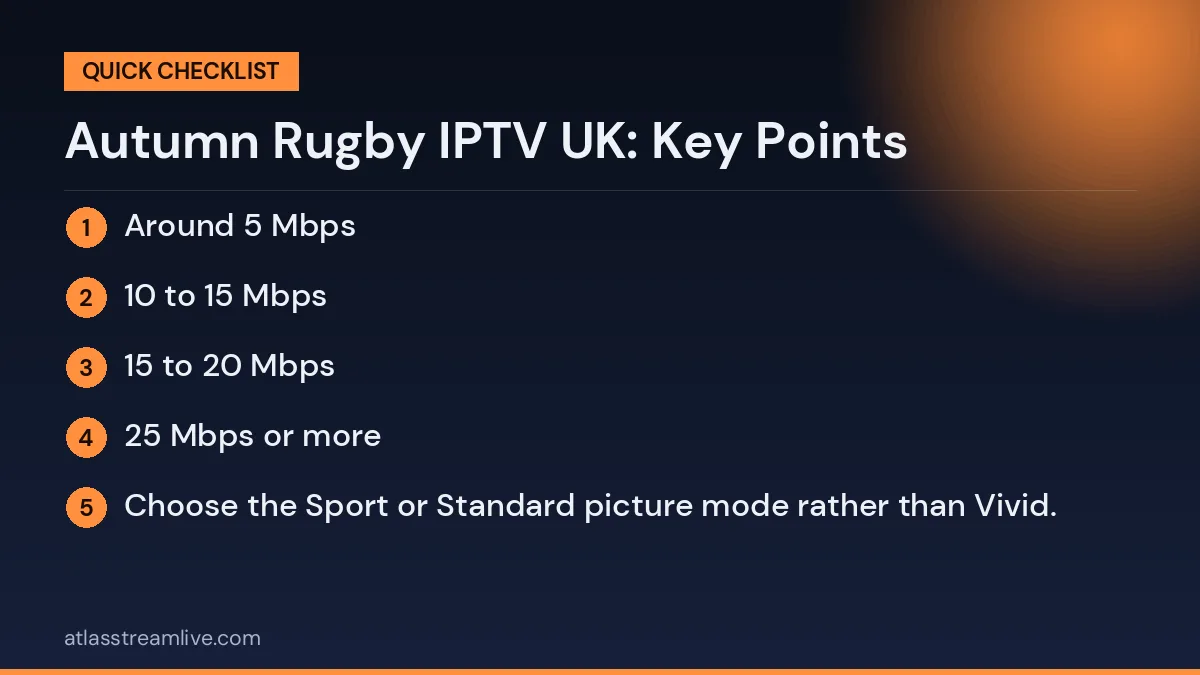
SD: around 5 Mbps
HD: 10 to 15 Mbps
Full HD at 50 fps: 15 to 20 Mbps
4K: 25 Mbps or more
These figures are per stream. If others in the house are watching or gaming at the same time, you need more. Test your real evening speed with Speedtest, ideally on the device you will use for the match.
Many rugby clubs also run community events and screenings during the autumn internationals. Watching at home with a well-prepared setup, then joining friends at the club for the next match, is a great way to enjoy the whole series. Whatever you choose, preparation keeps the focus on the rugby rather than the technology.
Check the channels you need
Sports rights vary between providers, and they can change from one fixture to the next. The only reliable way to know what a service carries is to look at its channel list yourself. We do not promise any specific match.
Picture Settings for Fast Rugby Action
Getting your TV settings right makes rugby much easier to follow, especially in wide shots where the ball is small on screen:
Choose the Sport or Standard picture mode rather than Vivid.
Turn off heavy noise reduction, which can blur moving players.
Try motion smoothing on low, or off, depending on what looks natural to you.
Set the stream quality in your IPTV app to the highest your connection can handle steadily.
Check your HDMI cable is fully pushed in, and use a high-speed cable for 4K.
A steady HD stream usually looks better than a 4K stream that keeps dropping quality, so do not chase the highest setting if your broadband is borderline.
Building a Rugby Favourites Group
A favourites group saves time on match day. Add the main channels showing the internationals first, then any backup feeds, then channels for club rugby such as Premiership and URC matches. Put them in the order you are most likely to use. When the main feed stutters, switching to the backup takes seconds instead of scrolling through hundreds of channels.
Understanding Rugby Broadcast Schedules
Rugby schedules can be confusing, with internationals, club competitions and European matches spread across different channels and times. For your autumn rugby IPTV UK setup, keep a simple list of the matches you want to watch, with the date, UK kick-off time and channel. Check it a few days before each match, because times and broadcasters can change.
Free-to-air channels show some international rugby in the UK, so make sure these are in your favourites alongside any other sports channels. Many fans also follow club rugby through the season, so build one rugby group that covers both international and club games. This saves time every weekend.
Planning tips
Keep a fixture list with UK kick-off times
Check times and channels a few days before
Include free-to-air channels in your favourites
Build one rugby group for international and club games
Set reminders on your phone for key matches
Making Room for Highlights and Analysis
If you miss a match, highlights and analysis programmes are a good way to catch up. Check whether your service offers catch-up on the relevant channels, and add highlights programmes to your favourites. Watching the analysis after a big Test helps you enjoy the tactical side of the game and keeps you involved even when you cannot watch live.
Keeping Track of the Autumn Schedule
November internationals usually run over several consecutive weekends, with matches for England, Scotland, Wales and Ireland spread across Saturdays and Sundays. Kick-off times vary, from early afternoon to evening. For a smooth autumn rugby IPTV UK experience, write every match you want to watch in one list with the UK kick-off time and channel, then set reminders on your phone. Check the list a few days before each weekend, as broadcasters sometimes adjust times.
If two matches overlap, decide in advance which one goes on the main TV and which on a tablet, and make sure your plan has enough connections. Add both matches’ channels to your rugby favourites group so switching is quick.
Weekend planning table
Weekend
Match
UK kick-off
Channel
Week 1
Your match
Time
Channel
Week 2
Your match
Time
Channel
Week 3
Your match
Time
Channel
Watching on a Budget
Many international matches in the UK are shown on free-to-air channels, so you may not need extra subscriptions for every game. Check which matches are free-to-air and which need another service. Combining free channels, catch-up apps and your IPTV service usually covers most of the autumn schedule without extra costs. Free catch-up apps also let you rewatch highlights after the final whistle.
Getting the Kids Involved
Autumn internationals are a great chance to introduce children to rugby. Explain the basic rules during breaks in play, let them choose a team shirt and keep the TV in a shared space. A child-friendly favourites group with the rugby channel at the top makes it easy for them to find the next match too.
Rugby and Accessibility at Home
Rugby commentary can be fast and technical. Viewers with hearing loss may benefit from a soundbar with dialogue enhancement or subtitles where broadcasters provide them. For newcomers, simple explanations of scrums, line-outs and penalties during breaks make the game easier to follow. A clear, simple TV setup with the rugby channel at the top of favourites helps everyone join in, whatever their age or experience.
The free 24-hour trial needs no card, so you can browse the channel list, test picture quality on your own TV and decide whether it suits you before the first kick-off. For a broader checklist, see what sports fans should check.
Avoiding Spoilers from the Stream Delay
Live streams usually run a little behind traditional broadcast, sometimes by 30 seconds or more. That can mean hearing neighbours cheer or getting a phone notification before you see a try. To avoid spoilers:
Mute rugby and news app notifications during the match.
Stay off social media until the final whistle.
Ask friends in group chats not to post scores live.
If watching with others in different rooms, use the same service so everyone sees the action together.
Watching the Match with Friends
Rugby is often a social event. If you host friends, put the main TV on a wired connection, ask guests to join a separate Wi-Fi network, and pause downloads on consoles and computers. Turn off motion smoothing on the TV, as it can make fast play look strange, and choose the Sport picture mode. If you have a soundbar, set the lip-sync option so commentary matches the picture.
Mind the delay
IPTV streams are usually a little behind a traditional broadcast, and the gap can be anywhere from a few seconds to longer. If you follow scores on your phone, a notification can reveal a try before it appears on your screen. Muting score alerts for the match is the simplest fix.
Club Rugby After the Internationals
Autumn is not only about the Test matches. Premiership Rugby, the United Rugby Championship and European competitions continue through the season, so the same setup serves you all winter. Keep your favourites up to date as fixtures move between channels, and check the guide each week for kick-off times. Many fans like to watch both international and club games on the same weekend, which makes a well-organised favourites list even more useful.
Keeping Your Account and Devices Secure
Big sporting events attract scam websites and fake streaming offers. Only use your trusted provider, never share your login details publicly, and be careful with links sent through social media. The National Cyber Security Centre has clear advice on avoiding scams and protecting your devices.
Make the guide work for you
Set up the TV guide so you can see kick-off times at a glance, and save your rugby channels as favourites. If you cannot watch live, check what catch-up and recording options your service offers, since these differ between providers.
If Autumn Rugby IPTV UK Streams Struggle
Restart the app, then the device, then the router, and try another device to isolate the problem. Our guide to buffering causes and fixes covers the rest. AtlasStream support is available around the clock on WhatsApp if you need a hand.
Watching Rugby with Accessibility Features
Commentary can be hard to follow in a noisy room. Turning on subtitles, if the channel carries them, helps everyone keep track of decisions and replays. Some players let you boost dialogue or choose different audio tracks. Older fans may also appreciate a larger on-screen guide font and a simple favourites list with only the rugby channels they need.
Autumn Rugby IPTV UK: FAQs
What speed do I need for rugby in HD?
Around 10 to 15 Mbps per stream is enough for steady HD. Aim for more if other people use the internet at the same time.
Why is my stream behind the live score?
Streaming adds a short delay compared with traditional broadcast. Turn off score notifications to avoid spoilers.
Should I use Wi-Fi or Ethernet?
Ethernet is more reliable for live sport. If that is not possible, use 5 GHz Wi-Fi close to the router or a mesh system.
Can I watch on two TVs at once?
Yes, if your plan includes two or more connections. Check your plan before match day.
What if the picture freezes during a try?
Switch to a backup feed from your favourites, then restart the app if needed. Restarting the router during the match is a last resort, as it takes a few minutes.
After the Final Whistle
Once the match ends, take a minute to note how your setup performed. Did the stream buffer at any point? Was the picture sharp in wide shots? Did the sound stay in sync? Writing down any problems, along with the time and channel, helps you fix them before the next game. If issues happened only at the busiest moments, the cause is usually your home network or peak-time broadband speeds rather than the service. Small changes such as moving the router, adding a mesh point or switching to Ethernet often solve them for good.
You can also use quiet weekday evenings to test changes, so you know your setup is ready for the next big weekend of rugby. A setup that works well for the autumn internationals will serve you equally well for the Six Nations in the new year.
Final Word
Preparing your autumn rugby IPTV UK setup is simple: check fixtures, update your apps, test your broadband at the right time, organise a favourites group and use a wired connection where possible. With these steps done before kick-off, you can sit back and enjoy every scrum, line-out and try of the November internationals.