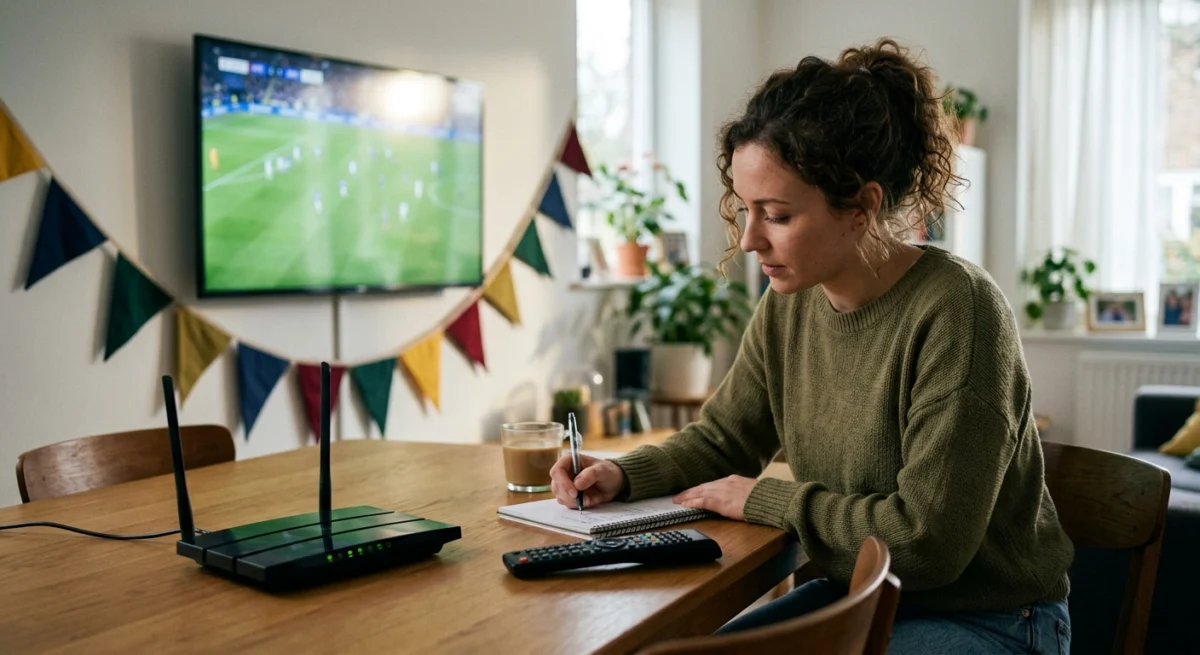
Major international tournaments change how people watch. Kick-off times can be awkward, evenings are busy, and many people are trying to stream the same match at once. The worst moment to find a problem with your setup is a few minutes before an important match. This checklist helps you get ready well before the next tournament starts.
Check Which Matches Are Broadcast and Where
The best time to get your IPTV ready before a big tournament is weeks before the first match, not minutes before kick-off.
In the UK, major tournaments are usually shown by established broadcasters, and the split between channels can change from match to match. Check the official fixture list and the broadcasters’ own schedules for each match you care about, and note which channel or app carries it. Free-to-air coverage is available through the broadcasters’ own services, so check what is already included in your TV licence and household setup before you pay for anything extra. Our guide to BBC iPlayer and IPTV explains how the two relate.

Want to test it on your own TV first? Try AtlasStream Live free for 24 hours on your Firestick, Smart TV or phone. No payment needed.
Test Your Setup Weeks Ahead to Get Your IPTV Ready Before a Big Tournament
Do not wait for the opening game. Install your app, log in, open the channels you plan to use and watch for a while on each device. Check picture quality, sound and the programme guide. If you use a Firestick, our setup guide covers the basics.
Make Sure Your Connection Can Cope
Streaming in HD needs a stable connection more than a headline speed. If you can, use a wired Ethernet connection to your main device. If you rely on Wi-Fi, keep the device close to the router and use the 5GHz band. If several people stream at once, test with everyone online, because a connection that copes with one stream may struggle with three.
Plan for Late Kick-Offs
Tournaments held in other time zones can mean very late or early kick-offs in the UK. Decide in advance which matches you will watch live and which you will catch up on. Test your setup on the device you will use late at night, such as a phone or tablet, so you are not troubleshooting at a tired hour.
Two Weeks Before: The Calm Preparation Window
The best time to get your IPTV ready before a big tournament is around two weeks before the first match. Demand on streaming services and support teams is still normal, so problems are easier to fix. Start by checking when your subscription ends. If it expires during the tournament, renew now so there is no gap. Next, update every streaming device and app in the house, and restart your router to clear any long-running issues.
Then test properly. Watch a live channel on your main TV during a busy evening and note whether the picture stays stable. If you see buffering, try a wired Ethernet connection or move the router to a more central spot. If you have a large home, consider adding a mesh Wi-Fi point near the main TV. Fixing these things now means you will not be scrambling for a solution when the opening match kicks off.
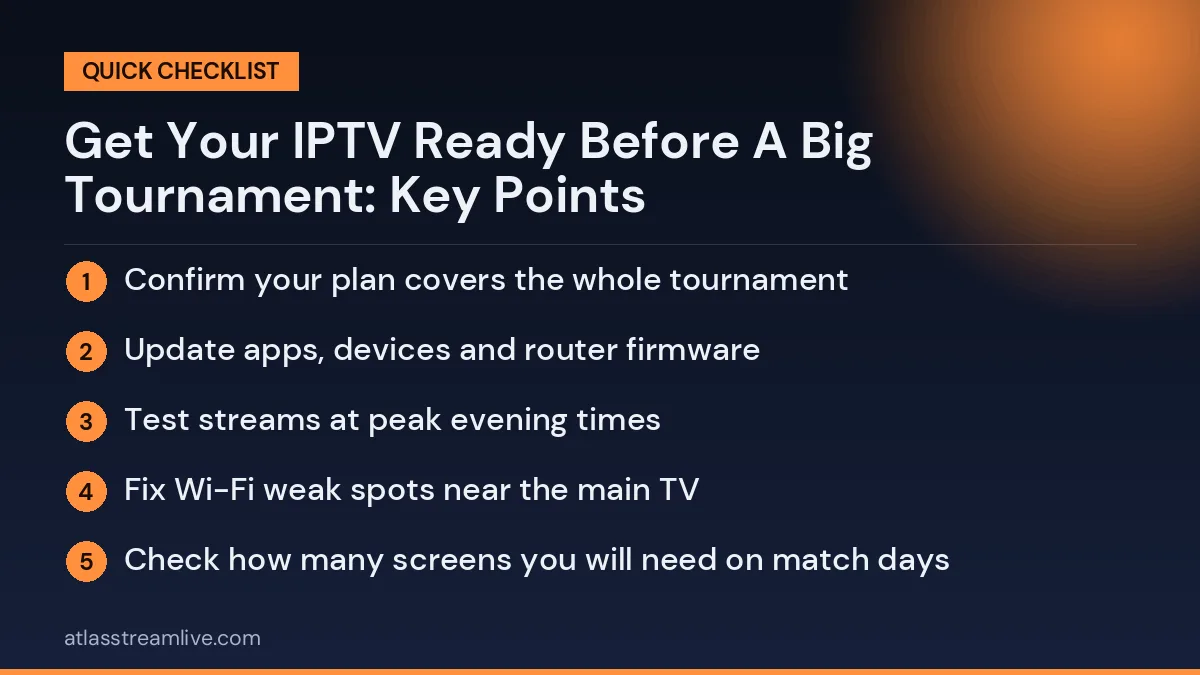
Two-week checklist
- Confirm your plan covers the whole tournament
- Update apps, devices and router firmware
- Test streams at peak evening times
- Fix Wi-Fi weak spots near the main TV
- Check how many screens you will need on match days
The Week of the Tournament
In the final week, focus on organisation. Build a favourites group with every channel showing the tournament, in the order you are most likely to use them. Add a backup feed for each main channel. Write the key fixtures and kick-off times in UK time on a calendar or phone, and set reminders. If you are hosting friends, plan where the main screen will be and make sure it has the strongest connection in the house.
Test Your Support Route
Find out how to contact your provider before you need to. Send a simple question now and see how quickly you get a reply. If a reply takes days when nothing is at stake, do not rely on it during a match. Our guide on fixing IPTV problems helps you sort out common issues yourself.
Finally, relax and enjoy it. Once the preparation is done, you can focus on the football rather than the technology.
Watch the Legal Side
Tournament rights are held by specific broadcasters, and unofficial services that carry them without permission can disappear mid-event with no refund. Read our guide to whether IPTV is safe and legal in the UK, and check payment methods before you pay anyone.
What to Do With a Trial
If you are comparing services, use a free trial as a rehearsal. Run it at the time of day you expect to watch, on your actual device, and send support a real question. AtlasStream Live offers a free 24-hour trial with no credit card needed, which you can request on the free trial page or by messaging us on WhatsApp. For a longer look at what changes after a big event, see IPTV after major tournaments.
The Countdown Checklist
The easiest way to get your IPTV ready before a big tournament is to work backwards from the opening match. Spreading the jobs over a few weeks keeps everything calm.
| When | What to do |
|---|---|
| Six weeks before | Check the fixture list and where each match is broadcast |
| Four weeks before | Fix Wi-Fi weak spots, add an Ethernet cable or mesh point |
| Three weeks before | Update your streaming device, TV software and apps |
| Two weeks before | Test during a live match at a busy time |
| One week before | Check your plan, connections and renewal date |
| The day before | Add tournament channels to favourites, restart everything |
| Match day | Open the channel 15 minutes early and pause downloads |
Equipment Worth Checking
Router
Older routers struggle when several devices stream at once. Ask your broadband provider whether a newer model is available, as existing customers are often offered one for free or at low cost.
Streaming device
Sticks and boxes slow down as storage fills up. Clear the cache, remove apps you never use and make sure there is space for updates.
Cables
An Ethernet cable long enough to reach from the router to the TV is one of the cheapest and most effective upgrades you can make.
Remote and batteries
It sounds trivial, but a dead remote at kick-off is frustrating. Keep spare batteries nearby.
Planning Around Kick-Off Times
Tournaments held abroad often mean kick-offs at unusual UK times, from lunchtime to late at night. Write the times of the matches you care about into your phone calendar with reminders. For late or early matches, check how catch up works on the relevant channels so you can watch the next morning without missing anything. Turn off score notifications on your phone if you plan to watch later and want to avoid spoilers.
Getting the Household Ready
A big tournament changes how everyone at home uses the internet. Agree a few simple rules for match times: no large game downloads, no huge cloud backups and fewer devices streaming in other rooms. If several people want to watch different matches, check your plan has enough connections. If friends are coming over to watch, one screen in the living room counts as one connection, which is often the simplest and most enjoyable option.
Testing Your Connection the Right Way
A speed test at lunchtime tells you very little about how your connection will cope during a busy evening match. Run your tests at the times you will actually watch. The free Speedtest tool works on phones, computers and many TVs. As a guide, around 10 Mbps per HD stream and 25 Mbps or more for 4K give a comfortable margin. If several people will watch on different screens at once, add those figures together.
If your results drop sharply in the evening, your local network is under pressure at peak times. A wired connection reduces the impact inside your home, and lowering stream quality to HD during the biggest matches can keep the picture smooth when everyone in the country is watching at once.
Setting Up a Match-Day Room
- Position the TV device in open air, not trapped behind the screen, using the HDMI extender if needed.
- Use a sport picture mode or reduce heavy motion smoothing for a clearer view of fast play.
- Check the sound: a dialogue or clear voice setting helps commentary stand out from crowd noise.
- Keep a phone charger nearby for checking other scores without changing the TV channel.
What to Do If Problems Start Mid-Match
- Do not keep switching channels; it forces the player to rebuild its buffer.
- Pause the stream for ten seconds to let the buffer refill.
- Check whether anyone else at home has started a big download.
- Restart the app at half-time rather than during play.
- If the problem continues, switch to an HD version of the channel.
Planning Viewing Parties
Big tournaments are social. If you are hosting friends, test the exact setup the day before: same TV, same device, same channel. Make sure guests do not all join your Wi-Fi to stream other matches on their phones at the same time, which can slow the main TV. A short, friendly request at the start avoids frustration during the key moments of the game.
Checking Your Plan Before the Tournament
A tournament is the worst time to discover that your plan expires halfway through or does not include enough connections. A week or two before the opening match, check:
- Your renewal date. Will your plan run until the final?
- Connections. Can everyone who wants to watch do so at the same time?
- The channels. Are the channels showing the tournament included in your plan?
- The guide. Do the fixtures appear correctly in the programme guide?
- Support hours. Will help be available during evening and weekend matches?
Using a Free Trial as a Rehearsal
If you are considering a new service for a tournament, use a free trial as a dress rehearsal. Take it during a live match a week or two before the event starts, on the same TV and at a similar time of day. Watch for at least 30 minutes, switch between a few channels and send support a question. If everything works, you can subscribe with confidence before the tournament begins. If not, you still have time to fix your setup or try another option.
Legal and Licensing Reminders
Major tournaments are usually broadcast by a small number of licensed broadcasters in the UK, and some matches are often shown free-to-air. Check the official broadcast schedule for the tournament you are following. Remember that a TV Licence is required to watch or record live TV on any channel in the UK, whatever service or device you use. The TV Licensing website explains the rules.
Tournament-Specific Tips
Football World Cups and Euros
Group stages often have three or four matches a day. Set up a favourites group with every channel showing the tournament, so you can move between matches quickly without scrolling.
Rugby World Cup
Big weekend clusters of matches mean heavy demand on Saturday and Sunday afternoons. Test your setup during a weekend match beforehand.
Cricket tournaments
Long days of play stress streaming devices. Keep the device ventilated and restart it during breaks.
Tennis and multi-court events
Multiple courts playing at once can tempt you to switch constantly. Pick a match and stay with it, or use multi-view if your app and plan support it.
Olympic Games
Hundreds of events across many time zones make catch up and highlights essential. Check what your service offers in advance.
Avoiding Spoilers
Internet streams run a few seconds behind traditional broadcast, and catch-up viewing can be hours behind. Mute sports apps and group chats during matches you plan to watch later. Many phones let you set a focus mode that silences notifications for a set time. It is a small step that protects the excitement of watching a big match unfold.
Helping Less Confident Family Members
Tournaments bring the whole family together, including people who rarely use streaming apps. A few minutes of preparation helps everyone enjoy the matches without needing to call you for help. Create a simple favourites list with only the tournament channels. Write the basic steps on a small card next to the TV: switch on, open the app, choose favourites, pick the match. If a parent or grandparent watches at their own home, visit or call them before the first match to check their setup works and that they know how to find the channels. These small gestures avoid stressful moments during the biggest games.
After the Tournament
Once the final is over, take a few minutes to note what worked well and what did not. Did the picture stay smooth at kick-off? Did the device slow down during long days? Did anyone at home struggle to find matches? These notes make preparing for the next tournament much quicker. Also check your plan: if you signed up mainly for the event, decide calmly whether to continue on a short plan, move to a longer one or pause until the next big competition.
With good preparation before and a quick review after, every major tournament becomes easier to enjoy than the last.
The Short Version: Get Your IPTV Ready Before a Big Tournament
Check who is broadcasting each match, test your setup weeks ahead, make sure your connection copes with several streams, plan for late kick-offs, know how to reach support, and stay on the right side of the rights. Done early, this saves a lot of stress when the first whistle goes.
Frequently Asked Questions
How early should I start preparing?
Four to six weeks is ideal. It gives you time to fix Wi-Fi problems and test properly without pressure.
Should I switch to 4K for the tournament?
Only if your TV, device and connection support it reliably at peak times. HD is often smoother when demand is highest.
What is the single most useful upgrade?
For most homes, an Ethernet cable from the router to the TV device.
The Final Pre-Tournament Checklist
- Fixture times saved in your calendar with reminders.
- Ethernet connected or Wi-Fi improved near the TV.
- Device and apps updated, storage cleared.
- Plan valid until the final, with enough connections.
- Tournament channels saved to favourites.
- Catch up tested for late or early matches.
- Household agreed on downloads during match times.
Tick everything on this list and you will have done all you can to get your IPTV ready before a big tournament, leaving you free to enjoy every match.
Want to rehearse before the next big match? Request your free 24-hour trial.
Already sure? See plans and subscribe → · from £15, no contract.